Introduction: Don’t Quit Your Job—Upgrade How You Do It
Most AI advice sounds like this: “Learn to code agents, start a startup, become an AI founder.” That’s exciting—but it ignores what most people actually want in 2025:
- Keep the job or freelance work they already have.
- Cut the boring parts in half.
- Finish earlier, with less stress.
The good news: you don’t need a paid subscription or advanced technical skills to get real results. A growing share of workers are already using AI to draft emails, summarize meetings, write reports, and analyze data—often seeing 30–50% time savings for routine tasks when they use tools effectively.
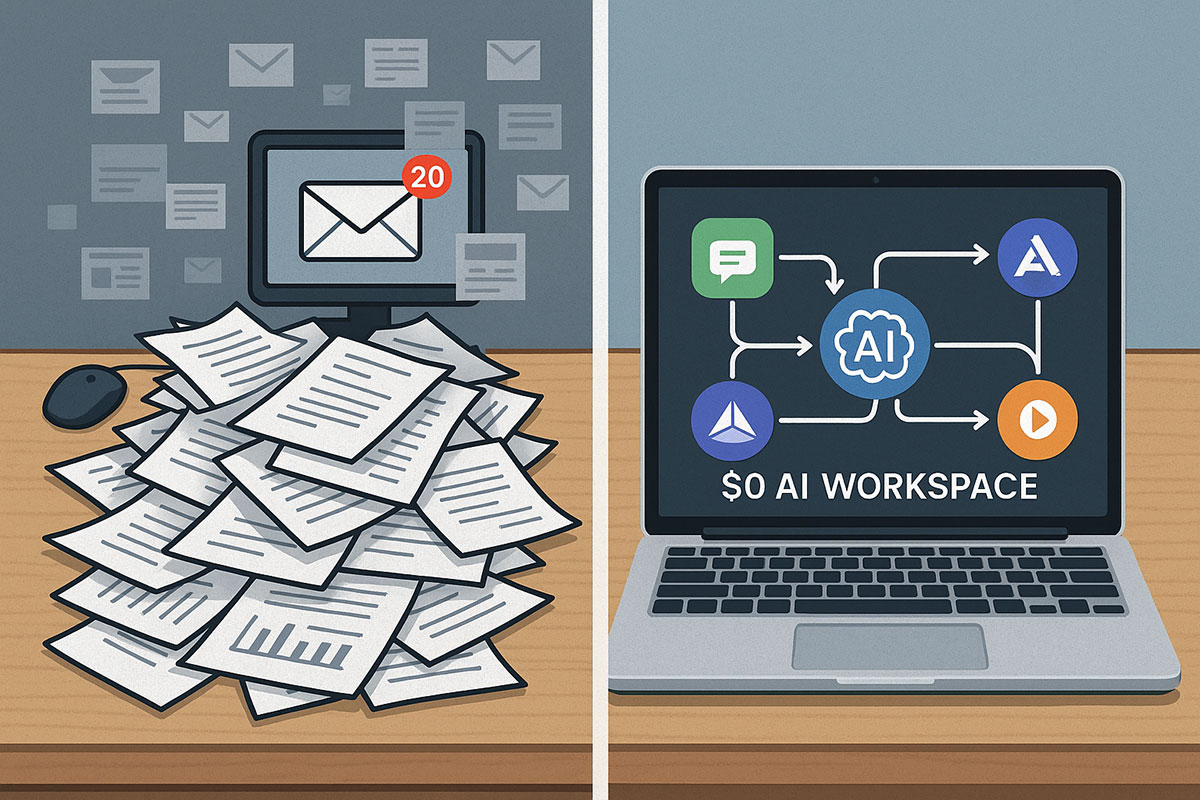
This guide shows you how to build a $0 AI workspace using only free tiers of popular tools, then walks through three realistic daily routines—a marketer, a project manager, and a solo freelancer—so you can see exactly where the time savings come from.
If you want to go even deeper after this guide, check out companion pieces like The $0 AI Stack That Replaced $500/Month in Tools and 10 Best AI Productivity Tools in 2025 for Work and Study.
The Principles of a $0 AI Workspace
Before you start installing tools, set three simple rules:
1. Free Tiers Only (at First)
Most major AI tools now offer generous free plans—Gemini, ChatGPT, Notion AI trials, Perplexity’s basic plan, and limited automations on platforms like Zapier or Make.com. For individual workers and freelancers, these are more than enough to prove value before you ever pay.
2. Workflow First, Tools Second
The biggest mistake people make is chasing tools instead of fixing workflows. Start by mapping your day:
- Where do you lose the most time? (email, reports, slide decks, research, client updates).
- Which tasks feel repetitive or copy-paste-heavy?
- What are your weekly “must ship” deliverables?
Once you know this, you can plug in AI where it matters most, not everywhere.
3. Human Oversight, Always
AI speeds you up, but you own the final output. That means:
- Fact-checking important claims.
- Editing drafts in your own voice.
- Avoiding sensitive company or client data in public tools unless explicitly allowed.
For more on risks and governance, see Employees Are Leaking Data into AI Tools: The Hidden Risk You Didn’t See and Building Trust: Why Responsible AI Matters in 2025.
The Core $0 AI Stack: One Setup That Fits Most Knowledge Workers
1. ChatGPT / Gemini Free — Your General-Purpose Text & Ideas Engine
What you use it for:
- Drafting emails, briefs, proposals, and social posts.
- Summarizing long documents and meetings.
- Brainstorming headlines, campaign ideas, or feature names.
Starter prompt to speed up any writing task:
“You are my writing assistant for [role: marketer / PM / freelancer]. Here is the context: [paste]. Draft a first version of [email/report/post] in a clear, concise tone, with bullet points where helpful. Then give me a 3-bullet summary at the top.”
Want to level up? Posts like How to Use ChatGPT’s New Browser Mode to Research, Verify & Write Faster and Prompt Engineering 2.0 show advanced patterns.
2. Perplexity — Fast, Verified Research
What you use it for:
- Quickly understanding a topic with source links.
- Collecting 3–5 credible references with summaries.
- Checking if an AI-generated claim is likely accurate.
Starter prompt: “Give me a concise, source-linked overview of [topic] relevant to [industry/role]. Include 3–5 key stats and cite the original reports.”
3. Notion + AI or Obsidian — Your “Second Brain” for Notes & Templates
What you use it for:
- Meeting notes that are easy to search.
- Reusable templates (weekly reports, status updates, client recaps).
- Storing prompts and workflows that work for you.
You can start with free Notion or Obsidian and only lightly rely on their AI features. Many users simply paste AI outputs into Notion and organize them manually.
For inspiration on turning notes into workflows, explore The 2025 AI Learning Stack and Guide: How to Use Free Generative AI Tools in 2025 (Step by Step).
4. Bing Image Creator (or Equivalent) — Instant Visuals
What you use it for:
- Simple blog headers and social media visuals.
- Quick mockups or diagrams for presentations.
- Concept art for client pitches.
Starter prompt: “Flat, minimalist illustration of [scenario relevant to your work], with a clean color palette and space for text.”
5. Make.com / Zapier (Free Tier) — Light Automations
What you use it for:
- Moving information between tools without manual copy-paste.
- Automated logging (e.g., saving email attachments to cloud folders).
- Triggering AI summaries (e.g., send meeting transcript to an LLM and get a short recap in your inbox).
To see what’s possible when workflows get more advanced, read AI Agents Are Replacing Chatbots in 2025 and AI Productivity Tools That Actually Generate Income in 2025.
Three Realistic Daily Routines with a $0 AI Workspace
Let’s make this concrete. Below are three sample workdays showing “Before AI” vs “After AI” using only free tools. Time estimates are realistic but illustrative—not lab results.
1. A Marketer’s Day with AI
Before AI
- Campaign brief creation — 60 minutes.
- Keyword & competitor research — 90 minutes.
- Writing 3 social posts + 1 email — 90 minutes.
- Weekly performance report — 60 minutes.
- Total focused time: ~5 hours.
After $0 AI Workspace
- Campaign brief (ChatGPT/Gemini):
- Prompt: “Draft a campaign brief for [product] targeting [audience] with [goal]. Include positioning, key messages, and 3 channel ideas.”
- Edit down to final version → 20–25 minutes (vs 60).
- Research (Perplexity):
- Use Perplexity for competitor overview + keywords with sources → 30–40 minutes (vs 90).
- Social posts + email (LLM):
- Prompt: “Generate 3 LinkedIn posts and 1 email based on this brief. Vary tone: 1 educational, 1 bold, 1 story-driven.”
- Edit to match brand voice → 40–45 minutes (vs 90).
- Weekly report (LLM + Notion):
- Paste analytics into ChatGPT/Gemini: “Summarize these metrics for a CMO. 5 bullets: what happened, why, and next steps.”
- Polish in Notion → 25–30 minutes (vs 60).
- Total focused time: ~2.5–3 hours.
Net effect: similar (or better) output quality, roughly 40–50% less time spent on repetitive writing and formatting. That extra time can go into strategy, experiments, or talking to customers.
For more marketing-specific workflows, see AI Marketing in 2025 and Holiday E‑Commerce 2025: The AI Traffic Surge Playbook.
2. A Project Manager’s Day with AI
Before AI
- Meeting note taking and cleanup — 60 minutes/day.
- Writing status updates for stakeholders — 60 minutes.
- Risk/issue log updates — 45 minutes.
- Planning next sprint or week — 60 minutes.
After $0 AI Workspace
- Meeting notes (LLM + Notion):
- Record meeting (if allowed), paste transcript or rough notes into ChatGPT/Gemini.
- Prompt: “Summarize as action items (with owners/due dates), decisions, and open questions.”
- Time: ~20 minutes (vs 60).
- Status updates:
- Feed notes + key metrics to AI and ask for 2–3 tailored summaries (for execs, for team, for clients).
- Time: ~25–30 minutes (vs 60).
- Risk log:
- Prompt: “Based on this project description and last week’s update, suggest 10 potential risks with likelihood and impact ratings.”
- Review and adjust → 20 minutes (vs 45).
- Planning next sprint/week:
- Ask AI: “Prioritize tasks based on these dependencies and deadlines. Suggest a 2-week plan.”
- Time: ~30 minutes (vs 60).
Again, you’re not outsourcing decisions—you’re outsourcing the blank page, formatting, and repetitive phrasing. Studies in enterprise settings already show that AI search, summarization, and automation tools can cut time spent on these coordination tasks by 30–40%.
3. A Solo Freelancer’s Day with AI
Before AI
- Proposal writing — 60–90 minutes per client.
- Contract templates — 30 minutes.
- Invoicing & admin — 30–45 minutes.
- Portfolio updates & marketing — easily 2+ hours per week.
After $0 AI Workspace
- Proposal templates (LLM + Notion):
- Ask AI to create 2–3 base templates for different project types.
- Customize per client in 20–30 minutes (vs 60–90).
- Contracts (with legal oversight):
- Use AI to structure standard clauses (scope, payment, IP, timelines).
- Always review carefully and, for high-value work, get a human legal check.
- Admin automations (Zapier/Make):
- Form submission → auto-create a Notion record → send you a Slack/Email notification.
- Paid invoice → update a spreadsheet and task list.
- Marketing content (LLM + Bing Image Creator):
- Prompt: “Based on my services [paste], create 4 LinkedIn posts and 3 email ideas for this month.”
- Generate simple visuals for key posts.
To see how solo creators are using AI to generate real income, read AI Productivity Tools That Actually Generate Income in 2025 and How to Make Money with Generative AI in 2025.
How to Set Up Your $0 AI Workspace in 60 Minutes
Step 1: Map Your Daily Repetitive Tasks (10–15 Minutes)
- List everything you do more than once per week: reports, updates, emails, content, data cleaning.
- Highlight those that are structured and repetitive.
Step 2: Create Your Core Accounts (10–15 Minutes)
- ChatGPT or Gemini (free account).
- Perplexity (free plan).
- Notion or Obsidian for notes.
- Bing Image Creator or another free image model.
- Zapier or Make.com free tier.
Keep logins in a password manager and pin tabs or install apps you’ll use daily.
Step 3: Build 3 “Flagship” Workflows (20–25 Minutes)
Pick three high-impact areas, for example:
- Weekly report creation.
- Standard client or stakeholder update email.
- Meeting notes → action items summary.
For each, design a mini-playbook in Notion:
- Inputs you gather (links, metrics, raw notes).
- Exact prompt you feed to the LLM.
- How you review and edit.
- How you store and share the final result.
Posts like How to Use Free Generative AI Tools to Automate Your Content Workflow in 2025 and The Ultimate Guide to Building AI Workflows offer concrete templates to adapt.
Step 4: Add 1–2 Simple Automations (10–15 Minutes)
Examples:
- New calendar event tagged “Meeting” → After meeting, send transcript/notes to ChatGPT/Gemini and email yourself a summary.
- New form response → Add contact to a CRM sheet and send yourself a Slack or email notification.
Even small automations like this can save 15–30 minutes per day over time.
Safety, Privacy & Company Policies: Use AI Without Getting Fired
Before you go all‑in on AI at work, check:
- Company policy: Many organizations now have specific rules on which tools are allowed and what data can be shared.
- Sensitive data: Never paste confidential contracts, personal data, or trade secrets into public models unless your company has approved an enterprise version.
- Attribution: You are responsible for the final output. Always review and, where relevant, disclose responsible AI usage.
For a broader view of how companies are governing AI, see The Ethics & Risk Framework for Generative AI and Why Responsible AI Matters More Than Ever in 2025.
From Hacks to Habits: Making 2× Productivity Stick
A $0 AI workspace only changes your life if it turns into habit, not just a weekend experiment. Here’s how to make it stick:
1. Default to “AI First, Then Edit”
Any time you face a blank page—email, report, plan—train yourself to:
- Draft with AI.
- Edit for accuracy, tone, and nuance.
- Store the best prompts and outputs as templates.
2. Track Time Saved for 2–4 Weeks
Use a simple spreadsheet or Notion table:
- Column A: Task.
- Column B: Old time.
- Column C: New time with AI.
- Column D: Notes on quality and lessons learned.
This helps you build a clear case for your manager or clients that AI isn’t just “cool”—it’s delivering measurable value.
3. Iterate Workflows Monthly
Every month, ask yourself:
- Which AI flows did I actually use?
- Which felt clunky or low-value?
- Where did I still waste time?
Use AI itself to design improvements: “Given this description of my current workflow, suggest 3 ways to simplify it and reduce manual steps.”
Why Now Is the Perfect Time to Build Your $0 AI Workspace
In 2025, AI has crossed an important line: it’s not just for engineers or large enterprises. Over 70% of companies now use AI in at least one business function, and the tools are finally simple and cheap enough for individuals and small teams to adopt on their own. At the same time, competition for promotions, clients, and opportunities is heating up.
You don’t have to become an AI researcher, and you don’t have to quit your job. By building a practical, $0 AI workspace, you simply stack the odds in your favor:
- Less time on low-value tasks.
- More energy for thinking, strategy, and relationships.
- A visible track record of using AI responsibly and effectively.
If you’re ready to go deeper into tools and stacks, explore the AI Tools & Apps category, including:
- The $0 AI Stack That Replaced $500/Month in Tools
- 10 Best AI Productivity Tools in 2025 for Work and Study
- The Ultimate Guide to Building AI Workflows: Automate Your Daily Routine
You don’t need permission to start. Open a browser tab, set up your $0 stack, and tomorrow’s workday can already feel very different.
Related Reading
- The 2025 AI Learning Stack: 12 Tools That Can Replace Tutors, Notetakers & Flashcards
- AI Productivity Tools That Actually Generate Income in 2025
- How to Build a Personal AI Assistant Without Coding (2025 No‑Code Guide)
About the Author
Girish Soni is the founder of TrendFlash and an independent AI strategist covering artificial intelligence policy, industry shifts, and real-world adoption trends. He writes in-depth analysis on how AI is transforming work, education, and digital society. His focus is on helping readers move beyond hype and understand the practical, long-term implications of AI technologies.