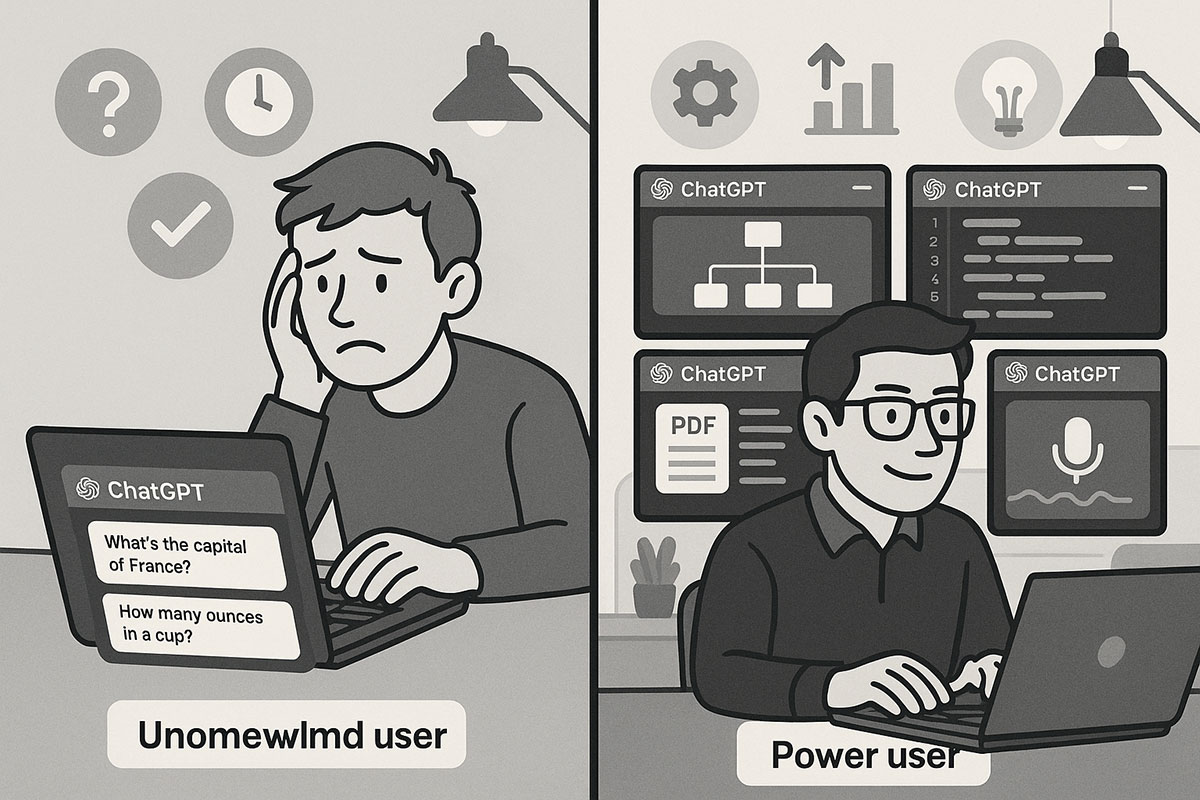
Introduction: You're Only Using 10% of ChatGPT's Power
Here's the uncomfortable truth: if you're using ChatGPT the way most people do—typing simple questions and copying answers—you're missing out on features that can genuinely transform how you work. Since November 2024, OpenAI has been quietly shipping powerful capabilities that could save knowledge workers, students, and entrepreneurs 5 to 10 hours every single week. Yet 99% of ChatGPT users have no idea these features even exist.
The worst part? Many of these features have been available for months. OpenAI didn't make a big announcement. No viral Twitter thread. They just... added them. This guide reveals the 10 secret features that separate power users from everyone else, and shows you exactly how to start using them today. Some have been live since September 2024, others arrived as recently as October 2025. All of them will change how you interact with AI.
Feature 1: The Memory System – ChatGPT Remembers Everything About You
Most people treat ChatGPT like a search engine. You ask a question, you get an answer, you move on. Then next week, you're explaining the same context all over again.
The Memory feature changes this completely. ChatGPT can now remember your preferences, past projects, writing style, and personal information across all your conversations. This is different from context within a single chat—this is persistent memory that carries over for months.
Here's what this means in practice:
If you're a writer, tell ChatGPT your preferred tone, target audience, and typical word count once. After that, every piece of writing it helps you with automatically follows your style. No repetition needed.
If you manage projects, ChatGPT remembers your team structure, project names, deadlines, and workflow preferences. When you ask for help with anything related to those projects, ChatGPT already understands your context.
For entrepreneurs running a business, ChatGPT can remember your customer profiles, pricing structure, brand voice, and business goals. Ask it anything related to your business, and it responds like it already knows your operation inside and out.
How to enable it: Go to Settings → Personalization → Memory. You can manually save specific facts, or let ChatGPT automatically save important information from your conversations. You maintain full control—you can delete memories anytime or disable the feature entirely.
Time saved: 2-3 hours per week on context-setting and repetitive explanations.
Feature 2: Custom GPTs – Build Your Own Personalized AI Assistant (Without Coding)
This feature is so powerful that it deserves its own explanation. Instead of always talking to the base ChatGPT, you can create completely customized versions of ChatGPT tailored for specific jobs.
Think of Custom GPTs as templates for AI that maintain personality, knowledge, and instructions. You create them with zero coding required—just answer a few questions about what you want the GPT to do, and upload relevant documents if needed.
Real-world examples:
A freelance marketer created a Custom GPT trained on their past client campaigns. Now when clients ask for strategy, the GPT pulls patterns from previous successful work—saving 90 minutes per proposal.
An accountant built a Custom GPT with their entire tax code knowledge base. Clients can now ask tax questions in plain English, and get accurate answers instantly instead of waiting for email responses.
A teacher created a Custom GPT that knows their curriculum, teaching style, and class roster. Students get personalized tutoring that matches exactly how the teacher explains concepts.
The setup process:
- Click on "Explore GPTs" in ChatGPT
- Select "Create a GPT"
- Tell the builder what role this GPT should play ("You are a business analyst for SaaS startups")
- Upload your knowledge files (PDFs, spreadsheets, documents)
- Set conversation starters to guide users
Time saved: 3-4 hours per week by automating repetitive expert-level tasks.
Feature 3: The Code Interpreter – Execute Python Instantly Without Installing Anything
Most people know ChatGPT can write code. What they don't know is that ChatGPT can actually run code in a sandboxed Python environment, right inside the chat.
This means you don't need to set up a local development environment, install libraries, or debug in a terminal. You can literally upload a spreadsheet, ask ChatGPT to analyze it, and watch it execute Python, generate charts, and return results—all in seconds.
What this enables:
Upload an Excel file with 10,000 rows of sales data. Tell ChatGPT to "Find customers with spending patterns that match high-value accounts." It executes Python, analyzes your data, and returns insights with visualizations.
You have a CSV file of website traffic. Ask ChatGPT to "Compare traffic sources and create a breakdown chart by device type." It writes the code, runs it, and shows you the visualization instantly.
Give it financial data and ask "Calculate the average ROI per campaign and identify which campaigns are underperforming." It processes everything and returns a detailed analysis.
How it works:
- Click the "+" button in the input field
- Select "Upload from computer"
- Choose your Excel, CSV, or data file
- Ask ChatGPT to analyze, transform, or visualize the data
- ChatGPT writes Python code, executes it, and returns results
Unlike relying on ChatGPT to just describe how to analyze data, the Code Interpreter actually does it for you.
Time saved: 2-3 hours per week on data analysis, spreadsheet manipulation, and coding tasks.
Feature 4: File Analysis – Upload PDFs, Spreadsheets, and Documents
The file upload feature went beyond just Code Interpreter. You can now upload almost any file format and ask questions about it.
Need to extract specific information from a 50-page PDF? Upload it and ask. Want to summarize a research paper? Upload it. Need to pull certain data points from a complex spreadsheet? Upload and ask.
Supported formats:
- PDFs and scanned documents
- Word documents (.docx)
- Excel spreadsheets (.xlsx, .csv)
- Presentations (.pptx)
- Images (.png, .jpg)
- Text files (.txt, .markdown)
Practical applications:
A consultant uploads client contracts and asks "Extract all pricing terms and conditions." ChatGPT reads through 30 pages and returns a clean summary in seconds.
An HR manager uploads 200 job applications and asks "Summarize candidates who have 5+ years of experience in Python." ChatGPT filters and summarizes instantly.
A researcher uploads 10 academic papers and asks "Compare the methodology used in all papers and identify patterns." ChatGPT analyzes all documents and creates a comparison.
Important note: This feature is only available to ChatGPT Plus/Pro users and Claude users—free tier users cannot upload files.
Time saved: 1-2 hours per week on document analysis and information extraction.
Feature 5: Voice Conversations – Talk to ChatGPT Like You're on a Phone Call
For most people, ChatGPT is a typing experience. You write a message, you read a response. But ChatGPT now has advanced voice capabilities that let you have actual conversations with it.
This isn't voice-to-text that converts your speech to typing. This is native voice conversation where you speak naturally, ChatGPT responds in natural speech, and you can interrupt it mid-sentence like a real conversation.
Why this matters:
You're driving and can't type? Tap the microphone and talk to ChatGPT like you're on a phone call.
You want to brainstorm out loud? Voice mode is faster than typing. Ideas flow better through speech.
You're learning a language? Speak to ChatGPT and hear native pronunciation. It can give feedback on your accent and help you practice.
You have mobility limitations? Voice eliminates the need to type entirely.
Advanced voice features (Pro users):
- ChatGPT recognizes emotional context in your voice
- It responds with appropriate emotion and tone
- You can request specific emotional delivery ("Respond with encouragement" or "Use a calming tone")
- Real-time responses under 3 seconds
- Support for 50+ languages
How to activate:
- Mobile app: Settings → Features → Voice conversations
- Choose from 5 different voice options
- Tap the microphone icon when ready to talk
Time saved: 30 minutes to 1 hour per week by replacing typing with faster voice input for certain tasks.
Feature 6: Image Understanding – Upload Screenshots and Photos for Analysis
ChatGPT can now understand and analyze images. You can upload screenshots, diagrams, charts, photos, or any visual content and ask questions about it.
What you can do:
Upload a screenshot of a confusing UI and ask "Explain how to navigate this." ChatGPT describes exactly what the interface does and how to use it.
Take a screenshot of a handwritten note or diagram and ask for clarification. ChatGPT reads the handwriting and explains the content.
Paste an error message or code error and ask "What's wrong?" ChatGPT analyzes the image and explains the problem.
Use it for homework help: take a photo of a complex math problem or chemistry diagram, upload it, and ChatGPT explains the solution step-by-step.
Analyze product mockups, UI designs, or wireframes for feedback.
How it works:
- Click the "+" button next to the text input
- Select "Upload from computer"
- Choose an image file
- Ask your question about the image
The image understanding works with GPT-4o and newer models, which have significantly improved visual comprehension compared to earlier versions.
Time saved: 1-2 hours per week on visual explanations and diagram interpretation.
Feature 7: Real-Time Web Browsing – Bypass ChatGPT's Knowledge Cutoff
ChatGPT has a knowledge cutoff date—it doesn't know about events that happened after its training data. But it now has a built-in browser tool that lets it search the web in real-time.
What this enables:
Ask about breaking news and get current information with source citations.
Research current product pricing and availability instead of getting outdated information.
Look up the latest research papers or academic studies published recently.
Check current market trends, stock prices, or business news.
Find recent job postings or industry updates that happened after ChatGPT's knowledge cutoff.
How to use it:
- Select a ChatGPT model (GPT-4o, GPT-5, etc.)
- Click the "tools" button on the right
- Enable "Search (Browse)"
- Ask your question
- ChatGPT fetches live web results, summarizes them, and provides numbered citations
The browser tool returns 3-6 numbered citations that you can click to verify sources and read the original content. This means you're not just trusting ChatGPT's summary—you can check the sources yourself.
Important note: This feature is available across free, Plus, Pro, and Team plans, though availability varies by region.
Time saved: 1-2 hours per week on research that requires current information.
Feature 8: Python Sandbox for Learning and Debugging
Related to the Code Interpreter, but specifically useful for learning: ChatGPT now lets you execute Python code in a safe, sandboxed environment and see results instantly.
This is perfect for learning programming because you can:
Ask ChatGPT to write Python code that does something specific.
See it execute in real time.
Ask follow-up questions about how it works.
Get code corrections when you make mistakes.
All without needing to install Python, learn the command line, or struggle with setup.
Practical examples:
A beginner learning Python can ask "Write code that takes a list of numbers and returns only the even ones." ChatGPT writes it, executes it, shows the output, and explains every line.
Someone learning data analysis can ask "Show me how to read a CSV file, filter by a condition, and calculate average values." ChatGPT demonstrates with executable code.
A student debugging can paste their code and say "This is giving me an error. Fix it and explain what was wrong." ChatGPT identifies the bug, fixes it, runs it, and explains the error.
Time saved: 2-3 hours per week for anyone learning to code or working with data.
Feature 9: Multi-Turn Memory – Continue Complex Projects Across Sessions
Here's a feature nobody talks about: ChatGPT can now maintain memory of multi-turn conversations and continue complex projects even if you stop talking for days.
Unlike the general Memory feature which saves preferences, multi-turn memory specifically remembers the context and progress of ongoing projects.
This means:
You're building an app. You discuss the architecture, design decisions, and implementation plans with ChatGPT over several conversations. It remembers the entire project history and context. When you return a week later, you don't need to re-explain everything—ChatGPT already knows your project inside and out.
You're writing a book. You discuss characters, plot points, and chapters. Come back next month and ChatGPT remembers your story, character arcs, and writing style.
You're managing a business plan. ChatGPT remembers your target market, competitive analysis, financial projections, and all the decisions you've made in previous conversations.
How it works:
- Create a Project (Pro feature)
- Have conversations about your project
- Enable project-specific memory
- ChatGPT only uses memory from that specific project
- It won't mix in unrelated information from other chats
Time saved: 1-2 hours per week on context-setting for ongoing projects.
Feature 10: Direct Image Generation – Create AI Art Without Third-Party Tools
OpenAI integrated DALL-E 3 directly into ChatGPT. You can generate, edit, and refine images without leaving the chat or using a separate tool.
What you can do:
Generate images from text descriptions directly in ChatGPT.
Edit existing images or ask ChatGPT to modify images you upload.
Request variations of an image (different lighting, angles, styles).
Use generated images in documents, presentations, or social media.
No switching between tools, no separate logins—it's all integrated.
Example uses:
A marketing professional generates product mockups, social media graphics, and promotional images directly in ChatGPT, cutting design time significantly.
A teacher creates custom illustrations for lessons without hiring a designer.
An entrepreneur generates mockups and wireframes for pitch decks instantly.
A content creator generates blog post headers, thumbnails, and social media visuals on demand.
How to use:
- Simply describe an image you want ("A modern office with people collaborating around a holographic screen")
- ChatGPT generates 4 variations
- Ask for edits ("Make it more futuristic," "Change the lighting," "Replace the people with robots")
- Download and use the final image
Time saved: 1-2 hours per week on image creation and graphic design.
Why These Features Matter: The Real Time Savings
Let's do the math. If you implement just 5 of these 10 features:
Memory system: 2-3 hours saved per week Custom GPTs: 3-4 hours saved per week Code Interpreter: 2-3 hours saved per week Voice conversations: 30 minutes to 1 hour saved per week Web browsing: 1-2 hours saved per week
That's 9-13 hours per week—more than a full workday. For knowledge workers, developers, students, and entrepreneurs, that's genuinely transformative.
But here's the thing: most people don't use these features because they don't know they exist. OpenAI didn't splash them across the homepage. They quietly shipped them. And now, while 99% of ChatGPT users are still struggling with basic prompts, power users are automating their entire workflow.
How to Access These Features
Feature Access by Plan:
- Free ChatGPT: Memory, Web Browsing (limited), Voice Mode (limited), Image Generation, Image Understanding
- ChatGPT Plus ($20/month): All free features plus Custom GPTs, File Upload, Code Interpreter, Advanced Web Browsing, Professional Voice Options
- ChatGPT Pro ($200/month): Everything Plus includes, plus higher usage limits, priority access to new features, advanced reasoning models
Getting Started:
- If you're on Free tier, you already have access to basic Memory and Image features. Try them today.
- If you're a Plus subscriber, explore Custom GPTs and File Upload immediately.
- Spend 30 minutes learning one new feature per week. By the end of November 2025, you'll be using 5-6 of these.
The Power User Advantage
The gap between casual ChatGPT users and power users isn't intelligence or creativity—it's knowledge. It's knowing that these features exist, understanding what they do, and actually using them.
While most people continue using ChatGPT at 10% capacity, power users who implement these 10 features are working 5-6 times more efficiently. They're not necessarily smarter. They just know the secret.
Now you do too.
Related Reading
For deeper insights into AI productivity and advanced ChatGPT techniques, explore these related resources:
- How to Build a Personal AI Assistant Without Coding – 2025 No-Code Guide
- AI Agents Are Replacing Chatbots in 2025: The Complete Enterprise Guide With Real Use Cases
- 10 Best AI Productivity Tools in 2025 for Work and Study
- Prompt Engineering 2.0: How to Write Prompts That Understand You, Not the Other Way Around
- AI Search vs Traditional SEO: How to Optimize Content for Gemini, ChatGPT, Perplexity in 2025
About the Author
Girish Soni is the founder of TrendFlash and an independent AI strategist covering artificial intelligence policy, industry shifts, and real-world adoption trends. He writes in-depth analysis on how AI is transforming work, education, and digital society. His focus is on helping readers move beyond hype and understand the practical, long-term implications of AI technologies.