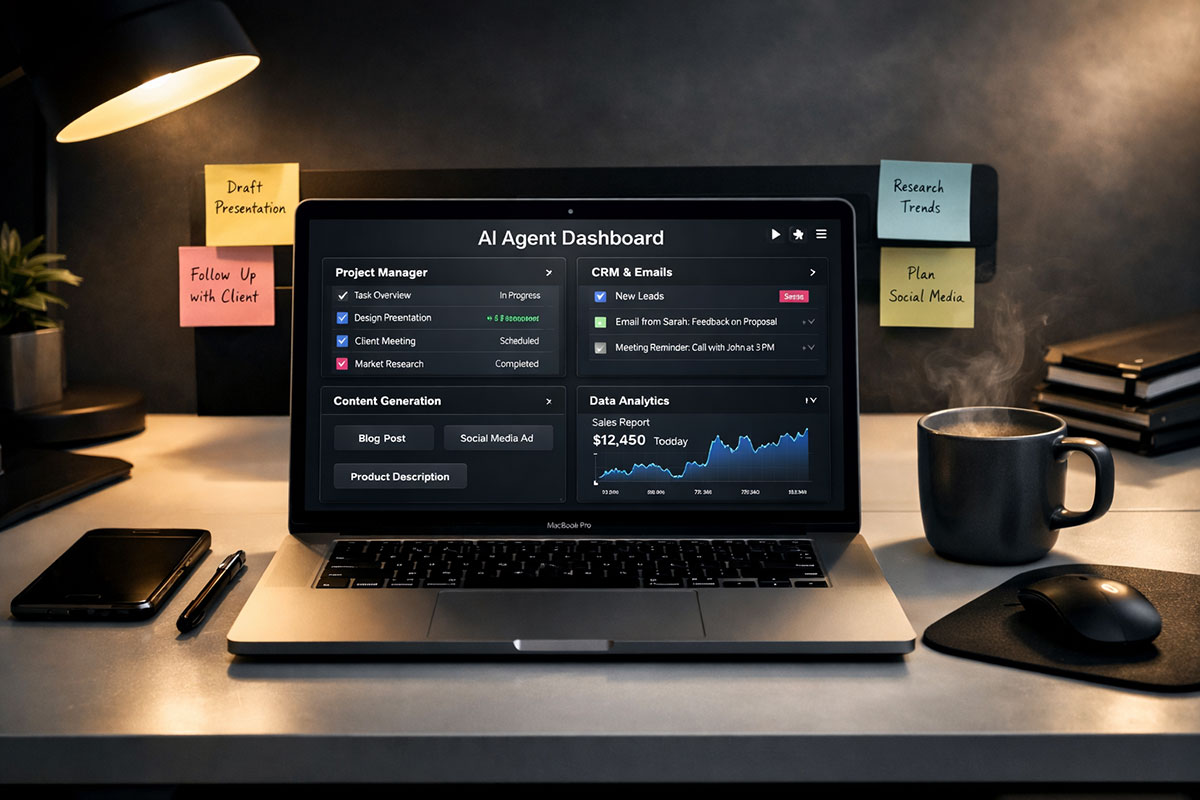
90% of professionals are wasting money on AI subscriptions they do not need. Why? Because they keep buying chatbots when they should be building workflows. That is the whole scam hiding in plain sight. Most people are stacking monthly fees for tools that all do roughly the same thing: write a paragraph, summarize a page, spit out a few bullets, and pretend that counts as leverage.
It does not. A real agentic stack is not a pile of shiny dashboards. It is a system that reads, routes, summarizes, searches, drafts, and triggers work without asking you to babysit every step. If you want to know how to actually wire these tools together, read our complete 2026 AI Transition Playbook first. Then come back here, because this teardown is about one thing: what is worth paying for, and what should be kicked off your credit card today.
Also, let us be honest about the market in 2026. The biggest waste is not buying one expensive AI tool. The biggest waste is buying three mediocre ones that overlap. So this article is not a polite roundup. It is a cleanup operation.
The winning stack in 2026 is not the one with the most logos. It is the one that removes the most friction.
Table of Contents
- Why most AI subscriptions are dead weight
- The 5 paid tools actually worth the money
- The 3 subscriptions you should cancel first
- How a lean operator builds a real stack
- FAQ, final verdict, and what to do next
Why most AI subscriptions are dead weight
The average professional has built the digital version of a junk drawer. One writing tool. One meeting tool. One research tool. One slide tool. Then another “AI assistant” on top because the landing page said it would save ten hours a week. It will not. Not if it lives in isolation.
The hard truth is simple: standalone output is cheap now. Everyone can generate text. Everyone can summarize a PDF. Everyone can make social posts and fake pitch decks. Therefore, paying premium pricing for generic output is usually bad math.
What still deserves your money is infrastructure. In other words, pay for the tools that either handle ugly cognitive load or automate real business movement. That usually means one premium reasoning model, one workflow engine, one meeting memory layer, one research engine that cuts through search sludge, and one visual engine for professional polish. Everything else gets judged brutally.
There is another reason people overspend: they buy based on demos, not on repeated use. A dazzling homepage can make any AI product look essential. However, if you only touch it twice a week, it is not infrastructure. It is entertainment with a subscription tab.
The paid stack below earns its place because each tool has a clear job. Better yet, each one can plug into a broader operating system for work. That is the standard now. If a tool cannot become part of a repeatable pipeline, its value drops fast.
| Category | What Most People Buy | What Actually Matters |
|---|---|---|
| Writing | AI copy wrapper | Strong base model + saved instructions |
| Automation | Fancy chatbot with actions | Reliable workflow engine with triggers |
| Meetings | Transcription alone | Searchable synthesis + action extraction |
| Research | SEO-polluted search | Fast source-grounded answer engine |
| Visuals | Template gimmicks | Custom assets for decks, posts, and portfolios |
That is the lens for the rest of this teardown. Not hype. Not novelty. Not “all-in-one” fantasy. Just utility.
The 5 paid tools actually worth the money
1) Claude Sonnet 4.6: the serious operator’s thinking machine
If your work involves long documents, ugly drafts, code, technical writing, or mixed reasoning across multiple files, Claude Sonnet 4.6 is still one of the smartest places to spend money. Anthropic says Sonnet 4.6 is now the default model in Claude and kept pricing aligned with Sonnet 4.5, while Claude Pro includes Claude Code, Research, projects, and more model access.
- Best For: Massive document synthesis, coding, rewriting weak business writing, comparing contracts, and turning messy notes into structured outputs.
- Estimated Pricing: Claude Pro is $20 monthly or $17 per month on annual billing; Max starts at $100 per month. API pricing for Sonnet 4.6 starts at $3 per million input tokens and $15 per million output tokens.
- The Verdict: Worth it if you are doing hard thinking, not casual chatting.
Here is why it wins. Claude tends to stay composed on long context and complex instructions. That matters more than raw benchmark chest-thumping. In real work, you need a model that can read fifty pages without turning your brief into soup. You also need one that can write code without constantly losing the plot.
Would I pay for Claude if I only needed social captions and short emails? No. That is overkill. But if your job involves synthesis, architecture, or deep drafting, this subscription earns its place fast.
2) Make.com: the cleanest route from prompt to process
You do not need another assistant sitting in a sidebar. You need a machine that moves data between your tools without whining. That is why Make.com is on this list. Its free tier offers 1,000 credits per month and 3,000+ app connections, while paid plans scale from there.
- Best For: Lead routing, CRM updates, content pipelines, research alerts, proposal generation, and repetitive admin choreography.
- Estimated Pricing: Free for light use; paid plans start around $9 per month, with higher tiers for more credits and advanced execution.
- The Verdict: If your workflow still depends on copying and pasting, buy this before you buy another model.
This is where “agentic” stops being marketing and starts becoming useful. Make lets you chain triggers, conditions, routers, and API calls into something that behaves like a real worker. That is the difference between generating an answer and actually doing a job.
For example, a 24/7 Career Agent can watch job listings, score them, tailor outreach, log applications, and push summaries into your workspace. That is not theory. It is exactly the kind of system we broke down in The Career Agent Launch. One paid workflow engine can replace hours of human sludge every week.
3) Fathom: the best meeting tool for protecting your real work
Meetings are not just time-consuming. They are momentum killers. Therefore, the right meeting tool is not about transcripts. It is about giving you your brain back. Fathom’s pricing page shows a free tier with unlimited recordings and transcriptions, while Premium adds advanced summaries and AI-generated action items at $20 monthly for individuals; team pricing starts at $19 per user monthly.
- Best For: Call summaries, decision tracking, action items, and preserving deep work after a day full of meetings.
- Estimated Pricing: Free tier available; Premium is about $20 per user monthly; Team starts at about $19 per user monthly.
- The Verdict: Pay when your calendar starts stealing your output.
Why Fathom over a random note-taker? Because the point is not to record everything. The point is to stop re-living the meeting later. If your tool gives you a clean summary, searchable calls, and action extraction, it becomes part of your execution layer.
This is the logic behind the Deep-Work Shield. The meeting does not get to invade the next three hours of your life. The system handles recall, and you move on.
4) Perplexity Pro: the anti-garbage research subscription
Traditional search is still useful. However, it is also polluted with SEO sludge, affiliate farms, stale explainers, and pages built to trap clicks. That is why Perplexity Pro is one of the few research subscriptions that still feels like a net gain. Perplexity’s official pricing lists Pro at $20 per month or $200 per year, while its help center positions Pro for users who want frequent research, file analysis, and image generation.
- Best For: Fast research, competitive scans, source-grounded answers, initial market mapping, and escaping spam-heavy search results.
- Estimated Pricing: $20 per month or $200 per year.
- The Verdict: Worth paying for if research speed affects revenue, strategy, or publishing.
The value here is not magic. It is compression. Instead of opening twelve tabs and getting trapped in content junk, you get a sharper first pass with sources attached. That makes it especially strong for founders, consultants, editors, and analysts who need to move from question to synthesis quickly.
Is it perfect? No. You still need judgment. But that is true of every tool on this list. The advantage is simple: Perplexity often gets you to the useful layer faster than standard search does.
5) Midjourney: the visual polish tax that still pays back
Many professionals still underestimate how much weak visuals damage perceived competence. If your deck looks cheap, your product looks smaller. If your portfolio looks generic, your work feels generic. Midjourney still earns money because it gives solo operators and small teams a way to make custom visuals that do not scream “stock template.” Midjourney currently offers Basic, Standard, Pro, and Mega plans at $10, $30, $60, and $120 monthly respectively, with annual discounts and unlimited image generation in Relax Mode starting from Standard.
- Best For: Presentation visuals, blog hero images, concept art, brand moodboards, and portfolio enhancement.
- Estimated Pricing: Basic $10, Standard $30, Pro $60, Mega $120 monthly.
- The Verdict: Worth it if presentation quality changes conversion, credibility, or attention.
This is not a “must-have” for every worker. However, if you publish, pitch, teach, sell, or recruit, the visual layer matters. Midjourney is still better than most one-click “brand asset” gimmicks because it gives you range instead of locking you into pre-chewed templates.
Bad visuals quietly kill trust. Good visuals quietly raise your prices.
The 3 subscriptions you should cancel first
1) Basic AI writing wrappers
This category is full of expensive mediocrity. Most “AI writing platforms” are just a thin skin on top of foundation models with templates, folders, and louder marketing. Unless the product has a truly differentiated workflow or editorial governance layer, you are paying extra for buttons.
Use a strong free or bundled model instead. Better yet, write better prompts and save proper instructions. That alone will wipe out a shocking number of monthly subscriptions.
- Replace with: A free or bundled LLM plus custom instructions, saved prompt libraries, and reusable content frameworks.
2) Dedicated AI presentation makers
Stop paying $20 a month for tools whose main trick is turning your bullet points into generic slide wallpaper. Google Workspace already includes Gemini inside Docs, Sheets, Slides, Drive, Meet, and Chat across supported plans, and Canva still offers a strong free tier for design work.
Unless you are running a high-volume presentation business, dedicated slide generators are usually unnecessary. You can draft structure in your main model, refine content in Slides, then finish design in Canva’s free layer without opening your wallet for another specialized app.
- Replace with: Google Workspace AI features or Canva Free for layout, cleanup, and light AI-assisted design.
3) Premium chatbot aggregators
This one will annoy some people, but it is true. A lot of premium chatbot aggregators are charging you for access, convenience, and interface consolidation more than for real differentiated value. If your goal is private experimentation, local usage, or uncensored tinkering, LM Studio is a serious free alternative. LM Studio lets you run models locally and serve them over localhost or even the network using REST and compatible endpoints.
Now, be sensible. Local models are not a total replacement for frontier hosted models. But for testing, drafts, private note work, and lightweight assistants, they can cut your dependency on aggregator subscriptions sharply.
- Replace with: LM Studio on your own hardware for local, private, experimental use.
How a lean operator builds a real stack
Let me give you a practical scenario. Imagine a solo consultant, recruiter, or founder named Neha. She has eight client calls a week, a growing inbox, content to publish, and constant research requests. Last year, she bought six AI subscriptions because each promised leverage. Instead, she got more tabs.
Now watch what happens when she strips the stack down.
She keeps Claude for hard synthesis, proposal drafting, document comparison, and technical writing. She keeps Make.com because it routes form submissions into her CRM, sends follow-up emails, updates a tracking sheet, and pings Slack when something important lands. She uses Fathom to absorb calls so her afternoons are not ruined by note cleanup. She keeps Perplexity Pro for fast market research before sales calls and content planning. Finally, she uses Midjourney only when she needs a premium visual for a client deck or a public-facing article.
Everything else goes. The writing wrapper is gone. The slide gimmick tool is gone. The fancy chatbot hub is gone.
The result is not only lower cost. It is cleaner behavior. Neha now has one tool for thinking, one for moving data, one for meeting memory, one for research, and one for polish. There is no confusion about where work happens. Therefore, adoption sticks.
That is the part most reviews miss. The best stack is not the most powerful stack on paper. It is the one you can actually run every week without friction, overlap, or subscription guilt.
Use this checklist before you buy any AI tool:
- Does it remove repeated work, not just create one-off output?
- Can it plug into an existing workflow or automation?
- Will you use it at least three times a week?
- Does it replace another paid tool you already have?
- Can a free model or bundled product already do 80% of this?
- Does it save time that matters, or just look impressive in a demo?
If a tool fails most of those questions, do not buy it. Or cancel it if you already did.
FAQ, final verdict, and what to do next
Is ChatGPT Plus still worth it in 2026?
Yes, for many people it still can be. However, whether it is the best use of your money depends on what role you need filled. If you already pay for another premium reasoning model and you are not using ChatGPT-specific features heavily, then adding yet another flagship chatbot can become redundant. The smarter question is not “Is it good?” The smarter question is “What job in my stack does it own?”
What is the best AI tool for automating emails?
For real automation, use a workflow engine such as Make.com, not just a chatbot that drafts replies. Drafting is only half the job. Routing, triggers, enrichment, logging, follow-up timing, and CRM updates are where actual leverage shows up.
What is the best AI tool for research-heavy work?
Perplexity Pro is one of the strongest paid options when you need a fast, source-grounded first pass. It is especially useful when normal search results are clogged with recycled SEO junk. That said, it works best when paired with human judgment, not instead of it.
Do I need to pay for an AI meeting tool if some have free tiers?
Not immediately. Start free. Then upgrade only when your call load is high enough that advanced summaries, shared search, or action extraction save real time every week. The wrong time to upgrade is because the app feels clever. The right time is when it protects your focus.
Here is the bottom line. A tool is only as good as the operator using it. That old cliché happens to be painfully true in AI. The paid stack wins when it removes friction, keeps context, and moves work forward. It loses when it becomes a collection of subscriptions you barely touch.
So be ruthless. Keep one elite model. Keep one workflow engine. Keep one meeting memory layer. Keep one research subscription. Keep one visual polish tool if your work needs it. Then cut the rest.
If you want weekly teardowns of new AI tools hitting the market, plus brutally honest breakdowns of what is useful and what is just software cosplay, subscribe to the TrendFlash newsletter. There is no shortage of new AI products in 2026. There is still a shortage of people willing to tell you which ones are actually worth your money.
About the Author
Girish Soni is the founder of TrendFlash and an independent AI strategist covering artificial intelligence policy, industry shifts, and real-world adoption trends. He writes in-depth analysis on how AI is transforming work, education, and digital society. His focus is on helping readers move beyond hype and understand the practical, long-term implications of AI technologies.