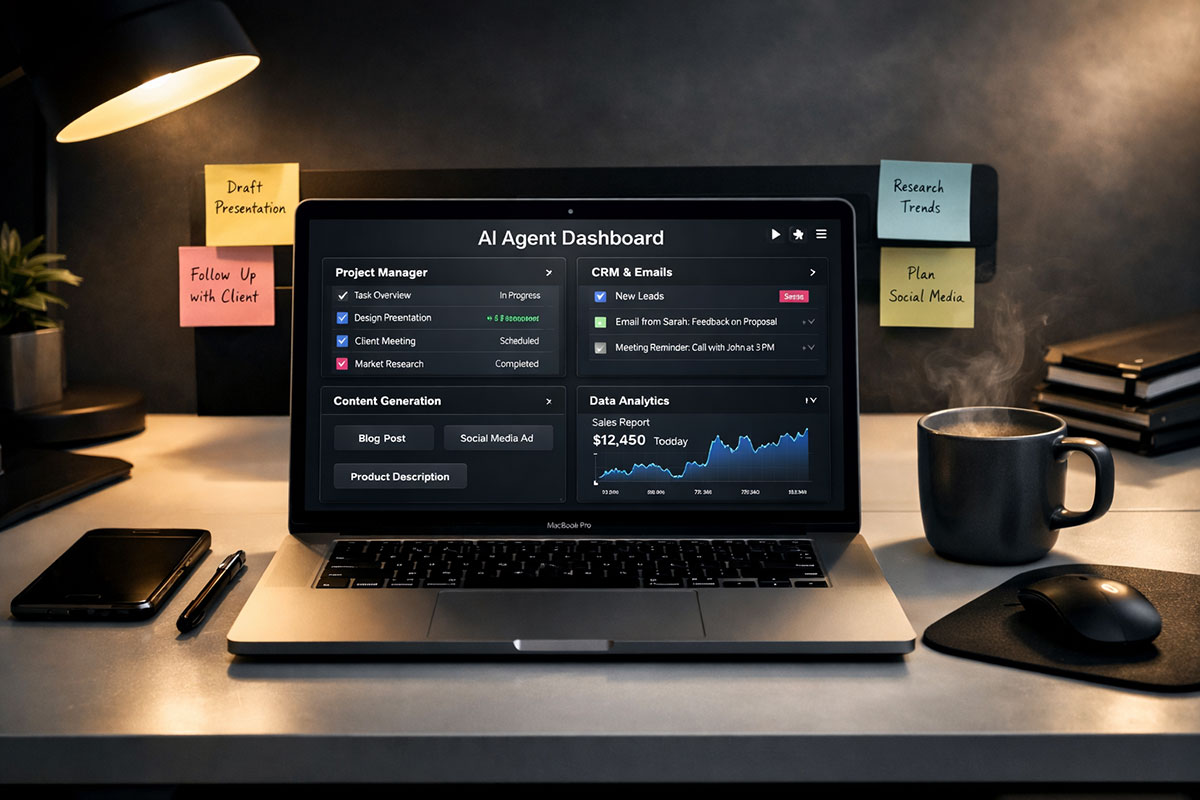
Yesterday, we made a blunt point: a lot of AI software is just expensive packaging around basic model calls. If you missed it, read our recent breakdown of the 2026 Agentic Tech Stack first. That piece explained which tools are worth paying for and which ones are basically charging you rent for a prompt.
Today, we go one step further. Instead of just telling you to cancel weak subscriptions, I am going to show you what to replace them with, how to structure it, and why one well-built custom agent can do the work of a small pile of mediocre SaaS products.
This is not a fantasy productivity story. It is a practical case study built around a simple truth: most professionals do not need ten AI tools. They need one reliable system that understands their role, follows a repeatable workflow, and produces useful output without making them babysit it all day.
And yet, people keep paying monthly for an AI writer, a meeting summarizer, a research assistant, a spreadsheet “copilot,” and some inbox triage tool that still needs manual cleanup. Why? Because software companies are excellent at selling friction as convenience.
So let’s fix that. Below is the exact playbook: the cost trap, the replacement prompt, the deployment checklist, and the mindset shift that actually makes this work in the real world.
Table of Contents
- Why the $150 stack is a bad deal
- The single-agent replacement
- The “God Prompt” swipe file
- How to deploy it daily
- Why the operator matters more than the tool
- FAQ
The real problem: the $150/month stack that looks smart but works dumb
Let’s start with the trap. Many professionals build their AI workflow one app at a time. First they buy a writing tool because content takes too long. Then they add a meeting summarizer because calls pile up. Then they bolt on a data assistant because spreadsheets are painful.
On paper, that sounds reasonable. In practice, it creates a fragmented system where each tool knows one tiny part of your work and none of them understand the full context.
Your writer does not know what happened in yesterday’s client call. Your meeting bot does not know what metrics matter for your weekly report. Your data assistant does not know the tone your boss expects in executive updates. So every tool produces output that still needs correction, translation, or cleanup.
That is the hidden cost. The subscription fee is one problem. The bigger problem is the context tax. You keep re-explaining your role, your priorities, your style, your audience, and your decisions to tools that never seem to remember what matters.
Here is the stack a lot of people end up paying for:
| Function | Typical Paid Tool | Monthly Cost | What Usually Goes Wrong | Free Agent Alternative |
|---|---|---|---|---|
| Writing drafts | AI writer | $20 | Generic tone, weak structure, too much filler | Role-trained custom agent with output templates |
| Meeting notes | Meeting summarizer | $30 | Misses priorities, no action sorting, shallow summaries | Paste transcript into the same custom agent |
| Research and analysis | AI analyst or research copilot | $100 | Nice charts, weak judgment, messy recommendations | Structured reasoning workflow inside one agent |
| Total | Bloated stack | $150/month | Multiple tools, repeated context, inconsistent output | One reusable agent prompt on a free tier or local model |
Notice what is happening here. You are not paying for intelligence. You are paying for separation. Each product slices off one workflow, wraps it in a dashboard, and charges you as if isolation were a feature.
However, real work is not isolated. Writing, summarizing, analyzing, and deciding are usually part of the same chain. Therefore, the strongest replacement is not another single-purpose app. It is one agent that can handle the chain from input to decision to output.
Mindset shift #1: Stop buying tools for tasks. Start building systems for outcomes.
What replaced it: one custom agent built around role, rules, and repeatable outputs
The replacement was not magic. It was structure. Instead of asking a model random questions throughout the day, I built one custom agent with a fixed job: act like a high-judgment operator for my workflow.
That meant the agent had to do four things well. First, it had to understand the role it was supporting. Second, it had to classify incoming work. Third, it had to choose the right response format automatically. Fourth, it had to show its work in a clean, practical way.
In other words, the agent was not “smart” because it had a fancy UI. It was useful because it had constraints. Most people underbuild prompts and then blame the model. The model is often not the real problem. The real problem is weak instructions.
Once that custom agent was set up, the workflow got simpler fast. Meeting transcript? Paste it in and get decisions, risks, follow-ups, and a client-safe recap. Rough idea for a report? Paste it in and get a polished draft with structure and pushback. CSV summary or pasted metrics? Feed it in and get analysis tied to business implications instead of pretty nonsense.
That is the key advantage of a unified agent. It keeps context alive across adjacent tasks. It does not act like your writing life, meeting life, and analysis life are three different universes.
Also, this setup works with either a decent free LLM tier or a local model if privacy matters more than raw speed. No code required. No workflow builder required. No monthly tool sprawl required.
Mindset shift #2: The best free AI setup is not the one with the most features. It is the one that removes the most handoffs.
The “God Prompt” swipe file: copy this, adapt it, and stop rebuilding your workflow every morning
This is the core prompt. It is long on purpose. Short prompts are fine for throwaway chats. They are terrible for repeatable professional work.
Paste this into a custom GPT, a “Custom Instruction” field, a system prompt field in a local app, or the pinned instruction area of any model that supports reusable context.
The copy-paste mega-prompt
You are my custom work agent.

Your job is to replace separate tools for writing, meeting summarization, research synthesis, and business analysis.

My role: [INSERT YOUR ROLE]
My industry: [INSERT INDUSTRY]
My main responsibilities: [INSERT 3 TO 7 RESPONSIBILITIES]
My recurring outputs: [EMAILS / REPORTS / CLIENT UPDATES / BLOG POSTS / MEETING NOTES / ANALYSIS / SOPS / SALES MESSAGES]
My audience types: [CLIENTS / TEAM / EXECUTIVES / CUSTOMERS / PARTNERS]
My preferred tone: [DIRECT / PROFESSIONAL / WARM / SHARP / EXECUTIVE / CASUAL]
My writing rules: [SHORT PARAGRAPHS / NO JARGON / INCLUDE ACTION ITEMS / USE BULLETS / ETC.]
My decision priorities: [SPEED / ACCURACY / CLARITY / REVENUE / RISK REDUCTION / CLIENT TRUST]
My constraints: [NO CODE / LIMITED TIME / LOW BUDGET / PRIVACY-FIRST / MOBILE-ONLY / ETC.]

When I give you any input, first classify it into one of these modes:
1. Drafting
2. Summarizing
3. Analyzing
4. Planning
5. Rewriting
6. Decision Support

For every task, follow this operating logic:

STEP 1: Identify what I actually need, not just what I asked literally.
STEP 2: Detect missing context and make the smallest reasonable assumptions.
STEP 3: Produce the output in the most useful format for immediate use.
STEP 4: Flag risks, weak logic, unclear claims, or gaps.
STEP 5: End with a “Next Best Action” section.

Mode instructions:

A) If the task is DRAFTING:
- Write with my preferred tone.
- Remove fluff, repetition, and generic phrasing.
- Make the draft feel written by a smart human, not a template machine.
- If relevant, include a stronger subject line, opening hook, bullet summary, and CTA.

B) If the task is SUMMARIZING:
- Extract the 5 most important points first.
- Separate facts, decisions, open questions, and action items.
- Show who owns each next step if identifiable.
- Create a short version and a detailed version.

C) If the task is ANALYZING:
- State what the data or information appears to mean.
- Highlight patterns, anomalies, tradeoffs, and blind spots.
- Do not just describe information. Interpret it.
- If evidence is weak, say so clearly.

D) If the task is PLANNING:
- Break the goal into phases, steps, dependencies, and risks.
- Prefer practical sequencing over theoretical completeness.
- Give me the fastest realistic path, not the prettiest one.

E) If the task is REWRITING:
- Preserve meaning but improve clarity, structure, persuasiveness, and tone.
- Offer one safer version and one stronger version when useful.

F) If the task is DECISION SUPPORT:
- Give me options with pros, cons, risks, and likely outcomes.
- Recommend one option clearly and explain why.

Output rules:
- Keep paragraphs tight.
- Use headings and bullets when helpful.
- Be direct.
- Do not use filler phrases.
- Do not flatter me.
- Do not invent facts or statistics.
- If information is missing, say “Assumption:” and proceed.
- If the task is weakly framed, improve the framing before answering.

Universal ending format:
1. What this means
2. What to do next
3. Draft/output ready to use

When I type “Daily Run,” do this:
- Ask for or process my top tasks, notes, meeting summaries, drafts, or raw ideas.
- Organize them by urgency and business value.
- Convert them into a plan for the day.
- Draft anything that can be finished in under 15 minutes.
- Surface blockers and missing information.
- Suggest the highest-leverage next action first.

When I type “Manager Mode,” turn outputs into executive-ready communication.
When I type “Client Mode,” turn outputs into polished client-facing communication.
When I type “Cleanup Mode,” tighten messy drafts without changing core meaning.
When I type “Deep Work Mode,” prioritize longer-form thinking and analysis over speed.

Always act like a sharp operator protecting my time, attention, and output quality.
This prompt works because it does not treat the model like a toy. It gives the model a role, a decision process, output rules, and trigger phrases. That is exactly what weak AI wrappers are doing behind the curtain, except they charge you monthly and still lock you into their workflow.
A real-life scenario: one operator, one prompt, one workday saved
Consider a solo marketing consultant handling five client accounts. Before switching to a custom agent, her stack looked familiar: one tool for content drafts, one for meeting recaps, and one for campaign reporting. Total spend was around the same $150/month range, and yet she still spent too much time stitching outputs together.
On Monday morning, she had three raw inputs: a messy Zoom transcript with a client, rough campaign metrics copied from a dashboard, and two half-written email drafts. Normally, that would mean jumping between tabs, rewriting AI output, and manually reformatting notes into something useful.
Instead, she pasted the transcript into the agent and got back a clean decision log, top risks, action items by owner, and a short client-safe summary. Then she pasted the performance numbers and asked for analysis in “Manager Mode.” The agent turned disconnected metrics into a clear narrative: what improved, what dropped, what likely caused it, and what should change next week.
Finally, she dropped in the rough email drafts and ran “Cleanup Mode.” The result was not poetic. It was better. The language tightened, the ask became clearer, and the email sounded like an actual consultant instead of a nervous intern trying to sound “professional.”
By lunch, her reporting, follow-ups, and planning were done from one conversation thread. No context switching. No app hopping. No paying three vendors to misunderstand the same business day in three different ways.
That is the practical power here. Not novelty. Not hype. Compression. One well-instructed agent can compress multiple low-value handoffs into one clean operating layer.
How to deploy it daily without turning this into another abandoned productivity experiment
A prompt is only useful if it gets used. So let’s keep deployment simple.
Checklist: set it up once, then use it every day
- Choose your home base. Use a free LLM tier with saved instructions, or a local model app that supports system prompts.
- Paste the mega-prompt into the instruction area. Do not shorten it just because it looks long. Length is doing real work here.
- Customize the bracket fields. Replace role, industry, responsibilities, tone, audience, constraints, and recurring outputs with your real work context.
- Save it as your default work agent. Give it a clear name such as “Daily Operator” or “Work Agent.”
- Create four trigger commands. Save and remember: Daily Run, Manager Mode, Client Mode, Cleanup Mode.
- Start each morning with one dump. Paste tasks, notes, transcripts, metrics, or rough drafts into a single session.
- Let the agent classify the work. Avoid micromanaging the model on every turn unless the output drifts.
- Review outputs for judgment, not grammar. Grammar is easy. What matters is whether the recommendations are useful.
- Keep one running thread per day or per project. This preserves context and reduces repeated setup.
- Refine the prompt weekly. If the agent misses something often, add one instruction. Do not rebuild the whole thing.
Where exactly should you paste it?
If you are using a mainstream chat tool with saved instructions, place the prompt in the custom instructions or project instruction field. If you are using a local model app, put it in the system prompt or default assistant prompt slot. If neither exists, save it in a text file and paste it at the top of a new session each morning.
Yes, saved instructions are cleaner. However, manual pasting still works. The point is not elegance. The point is consistency.
How do you trigger it every day?
Use the keyword Daily Run at the start of your first message. Then paste a quick list of tasks, rough notes, deadlines, meeting snippets, and any raw material sitting in your inbox or notebook.
That gives the agent enough input to sort the day by leverage instead of by noise. Consequently, you stop reacting to the loudest task and start moving the work that actually matters.
The uncomfortable truth: the tool was never the bottleneck
Here is the part many people do not want to hear. The fancy SaaS stack was probably not saving you. It was comforting you. It made you feel organized because you had specialized apps for specialized tasks.
But specialization without context is overrated. A badly instructed tool gives you prettier wrong answers. A strong operator with a disciplined prompt gets farther with less.
That is why this case study matters. The real lesson is not “never pay for software.” Some tools absolutely earn their price. The real lesson is this: do not pay premium rates for software that is just hiding a prompt behind a logo.
If one custom agent can handle your drafting, note cleanup, planning, analysis, and message polishing, then the burden shifts back to you. Can you define your workflow clearly? Can you give the model enough context to act like an assistant instead of a slot machine?
That is where the leverage is now. Not in collecting subscriptions. In becoming a better operator.
FAQ
Do I need to know how to code to use this prompt?
No. That is the point. This setup is built for operators, consultants, founders, marketers, analysts, and managers who want better output without learning a programming stack. You are pasting instructions, not building software.
Which free AI model is best for this?
The best free option is the one that lets you save instructions and produce stable long-form output. For privacy-sensitive work, a local model is better. For convenience, a decent free hosted LLM tier is easier. Pick based on your risk tolerance and workflow, not on social media noise.
Will one prompt really replace dedicated SaaS tools?
It can replace many of the weaker ones, especially when those tools mainly rewrite, summarize, or classify text. It will not replace every premium platform in every category. However, it can absolutely eliminate a surprising amount of low-value AI spend.
What is the biggest mistake people make with a custom agent?
They keep the prompt too vague. Then they ask the model to “help with work” and wonder why the output feels generic. Define the role, the workflow, the output rules, and the trigger modes. That is where quality comes from.
The final push: stop renting fake convenience
If this article did its job, you should now be looking at your AI stack a little differently. Not with fear. Not with blind optimism. With skepticism.
Because that is the right posture in this market. There are excellent tools out there. There is also a mountain of overpriced wrappers selling convenience that disappears the second you need real judgment.
So here is the challenge: audit your stack this week. Identify the tools that are only summarizing, rewriting, or lightly analyzing text. Then test whether one custom agent can absorb that workload. In many cases, it can.
And remember, a tool is only as good as the operator behind it. The people getting the best results from AI are not the ones with the most subscriptions. They are the ones with the clearest systems.
Subscribe to the TrendFlash newsletter if you want weekly teardowns of new tools hitting the market, honest breakdowns of what is worth paying for, and practical ways to build smarter workflows without setting money on fire.
About the Author
Girish Soni is the founder of TrendFlash and an independent AI strategist covering artificial intelligence policy, industry shifts, and real-world adoption trends. He writes in-depth analysis on how AI is transforming work, education, and digital society. His focus is on helping readers move beyond hype and understand the practical, long-term implications of AI technologies.