The Digital Defence Kit: How Parents Can Help Kids Spot Deepfakes and AI Scams
If you’re parenting in 2026, you’ve probably had this moment: your child shows you a clip—some celebrity “saying” something wild, a classmate “caught” doing something humiliating, a voice note that sounds exactly like a person you know—and then asks, “Is this real?”
It’s a surprisingly emotional question. Because underneath “Is this real?” is another one: “If I can’t tell… how am I meant to stay safe?”
Here’s the uncomfortable truth: the old internet rule—seeing is believing—is now one of the easiest ways to get tricked. Law enforcement and child-safety organisations have been warning that synthetic media is being used for fraud, manipulation, harassment, and increasingly personal forms of extortion.
The good news is you don’t need to become a deepfake detective with a lab coat and five monitors. What your family needs is a repeatable routine: a few simple habits that work even when the content looks flawless, even when the voice sounds familiar, and even when the message is designed to make your child panic.
This “Digital Defence Kit” is that routine. It’s built for real life: busy mornings, group chats, after-school dramas, and those late-night pings that make your stomach drop.
Table of Contents
- When a familiar voice isn’t proof anymore
- Teach verification, not vibes
- Build the Digital Defence Kit at home
- A real-world style scenario: the “urgent” message
- Risks, benefits, and the questions parents always ask
When a familiar voice isn’t proof anymore
The biggest shift isn’t that “deepfakes exist.” It’s that deepfakes have moved from novelty to infrastructure—woven into the exact places kids communicate and trust: voice notes, short clips, video calls, and screenshots “from a friend”.
The entity["organization","Federal Trade Commission","us consumer protection agency"] has warned that scammers can clone a loved one’s voice using only a short audio clip—often pulled from content posted online—and then use that voice in a “family emergency” con that pressures victims to send money quickly.
Meanwhile, the entity["organization","Internet Crime Complaint Center","fbi complaint portal"] has described how criminals generate short audio clips to impersonate relatives in crisis, sometimes demanding a ransom or “urgent help,” and has explicitly recommended a family secret word or phrase for verification.
And it isn’t limited to audio. Public alerts describe “virtual kidnapping” scams where criminals alter photos (often from social media) into “proof-of-life” images or videos to extort money—designed to hijack a family’s worst fear before anyone has time to think clearly.
For kids, the risk often looks different than it does for adults. It can be humiliation, reputation damage, coercion, or sexualised manipulation—not just financial loss. entity["organization","UNICEF","un agency for children"] has highlighted harms connected to AI-generated explicit deepfakes involving children, noting the reality of the harm and the urgency of protection measures.
We must be clear… Deepfake abuse is abuse, and there is nothing fake about the harm it causes.
If that sounds heavy, it is. But here’s the parent takeaway that actually helps: when a message is trying to rush your child, isolate them, or make them feel ashamed, it’s not “just drama.” That emotional squeeze is often the mechanism of the scam. Campaigns focused on fraud prevention repeatedly emphasise slowing down and breaking the pressure pattern—because urgency is the scammer’s best friend.
Teach verification, not vibes
A lot of deepfake advice online boils down to “look for glitches.” Sometimes that’s useful, especially with obvious fakes. But relying on visual tells alone teaches the wrong lesson: that truth is something you can spot with sharper eyes.
The more durable lesson is that truth is something you confirm with better process.
Why? Because research has repeatedly found that humans aren’t reliably good at detecting synthetic media. A well-cited behavioural experiment in iScience found people cannot reliably detect deepfakes and often overestimate their own ability to do so; awareness and incentives didn’t meaningfully improve accuracy.
Audio is no easier. A peer-reviewed study in PLOS ONE warned that human performance at spotting speech deepfakes is unreliable, even when people are aware such fakes exist.
So what do you teach instead?
Start with a simple idea kids can actually remember: verification beats perception. The goal isn’t “be suspicious of everything.” The goal is: “When something is high-stakes, we switch to high-verification.”
One very practical way to do this is to borrow techniques professional fact-checkers use. Work from entity["organization","Stanford History Education Group","stanford digital literacy"] has popularised “lateral reading” (leaving the content to check what trusted sources say elsewhere), and Stanford reporting on this research noted fact-checkers often outperform others by cross-checking quickly rather than staring harder at the original page.
Now add a child-friendly “pause prompt”: “What would I do if this was trying to trick me?” That one question changes everything. It turns a passive scroll into an active investigation.
Here’s a comparison that helps families name what they’re seeing and choose the right next step. The patterns below align with warnings and guidance from law enforcement and consumer protection bodies, as well as education-focused safety resources.
| What it looks like to a child | What it’s usually trying to trigger | Reliable next step | Why that step works |
|---|---|---|---|
| Voice note: “Mum, I need help now” | Panic + secrecy | Call back on a saved number + use a family code phrase | Breaks the “one-channel” trap (voice alone isn’t proof) |
| Video clip of a “public figure” pushing a giveaway/investment | Greed + authority | Check the official account/site separately; search for trusted reporting | Scams often rely on borrowed credibility, not verifiable sources |
| Photo sent as “proof” someone is hurt/kidnapped | Terror + urgency | Verify the person’s safety through direct contact/known adults | Stops payment before confirmation; fakes can be generated fast |
| “Embarrassing” image of a classmate (or your child) | Shame + social pressure | Don’t share; screenshot evidence; report to school/platform | Sharing amplifies harm; reporting triggers removal pathways |
| DM: “Your account will be banned—click this” | Fear + speed | Log in via the real app/site, not the link | Phishing depends on getting you to a fake login page |
Notice what’s missing from the “reliable next step” column: “zoom into the hands.” Visual cues can help, but they’re not the backbone. A backbone is what holds up under stress.
Build the Digital Defence Kit at home
If you want this to stick, treat it like teaching road safety. You don’t just say “be careful.” You teach specific behaviours: stop at crossings, look both ways, don’t get in a stranger’s car.
Your Digital Defence Kit is the online version of that: a short set of rules your child can run even when they’re tired, embarrassed, or rushed.
A strong starting point is the UK’s entity["organization","Take Five to Stop Fraud","uk fraud awareness campaign"], led by entity["organization","UK Finance","uk financial services trade body"], which teaches a simple rhythm: stop, challenge, protect—because pressure is often the red flag, not the spelling mistake.
Stop: Take a moment to stop and think before parting with your money or information. It could keep you safe.
Now translate that into kid-language and household routines. The entity["organization","FBI","us federal law enforcement"] and IC3 have both emphasised the importance of verifying unexpected requests—especially those involving money, credentials, or urgent secrecy—and the FTC explicitly advises not to trust the voice and to call back using a number you already know.
Here’s a parent-friendly checklist you can actually use this weekend.
Checklist: The Digital Defence Kit (family edition)
- Create a family code phrase for emergencies (not stored in notes or group chats).
- Adopt the “call-back rule”: urgent requests get verified by calling a saved number or a trusted adult.
- Separate emotion from action: “If it’s urgent, we verify first.”
- Teach kids to exit the channel: don’t reply inside the same DM thread; switch to another route.
- Lock down accounts: use strong, unique passwords and turn on two-step verification where available.
- Reduce your “audio footprint”: be mindful of posting long clear voice clips publicly.
- Set a “no-shame reporting” rule: if something feels off, they tell you immediately—no punishment for “falling for it.”
- Practise one script: “I can’t do that. I’ll call you back.” (Kids need words, not just warnings.)
- Save evidence before reporting: screenshots, usernames, timestamps—then report in-app/school channels.
- Agree what ‘official’ looks like: logging in via the real app/site, not through links in messages.
Much of this aligns with public guidance on AI-enabled impersonation and fraud: call back independently, use secret phrases, and be sceptical of urgent requests for money or sensitive details.
Two extra notes that parents often miss:
First, kids need practice. The entity["organization","UK Safer Internet Centre","uk online safety charity partnership"] encourages families to go online together, talk regularly about online experiences, and help children recognise where AI is being used (and that it can be unreliable or data-collecting). That “together” part matters—because confidence grows through repetition, not lectures.
Second, don’t try to do this as a blanket ban. You’ll lose. A better approach is a pact: “You can explore, but high-stakes moments require verification.” If you want supporting reading to interlink inside your publication, TrendFlash has several parent- and student-oriented posts you can reference alongside this guide.
Suggested interlinks (from the provided list): Deepfake Defense: How to Detect and Protect Yourself from AI-Generated Scams • The AI Family Pact: Using AI as a Socratic Tutor • Beyond Google: A Student’s Guide to Deep Research
A real-world style scenario: the “urgent” message
Let’s make this concrete. The following is a realistic composite scenario based on patterns described in consumer protection warnings and law-enforcement alerts (voice cloning, crisis scripts, urgency, and pressure to move money fast).
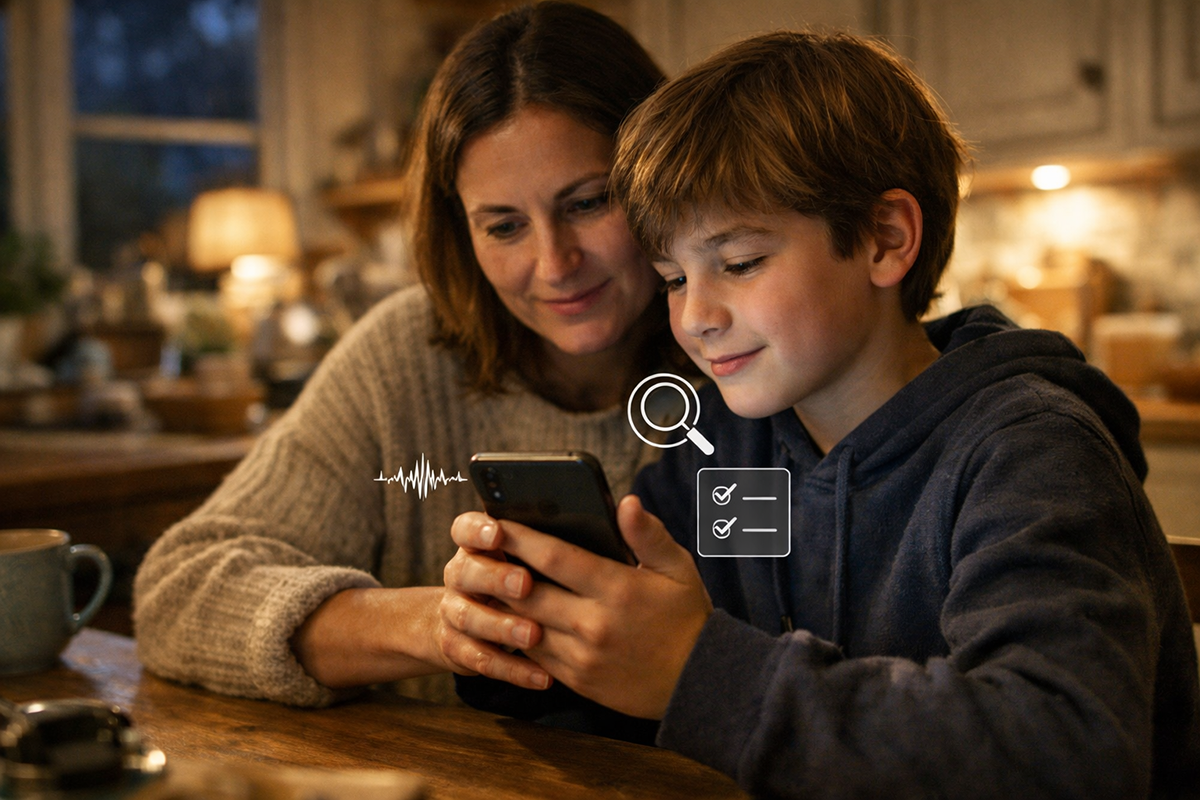
It’s a weekday evening. Your 13-year-old, Sam, is half-watching a show while messaging friends. Your phone is charging in the kitchen. There’s a soft ping from your teen’s device, then another, then another.
Sam walks in, pale. “Mum… I think something’s wrong.”
On the screen is a voice note from an unknown number. The profile photo looks like your older child’s face—cropped from a family picture. The message text is short: “Don’t tell anyone. I need help NOW.”
Sam taps play. The voice sounds uncannily real. It’s shaking, breathy—exactly how your child sounds when they’re upset. “Mum, please. I messed up. I’m with someone. I need you to send money. I can’t talk. Please don’t call Dad.”
Sam starts spiralling immediately, because that’s what a good scam does: it turns one scary data point into a whole story in your head. And Sam’s story fills in fast—party, trouble, police, danger, shame.
Here’s where the Digital Defence Kit either exists… or doesn’t.
You take the phone, and you do two things that feel almost too simple.
First: you slow the moment down. You say, out loud, calmly: “We don’t act inside the message. We verify.”
Second: you switch channels. You call your child’s saved number. No answer. You call again. Then you text your child on the family group chat: “Call me now—code phrase.”
Within a minute, your child calls back—annoyed, not distressed. They’re on the bus, headphones in, completely fine. They say the code phrase without hesitation.
Sam’s whole body changes. The fear drains out and turns into anger. “So… it was fake?”
Yes. But now comes the part that matters for the next five years of Sam’s online life: what you do with the aftermath.
You praise the behaviour, not the emotion. “You did the right thing by bringing it to me. That’s exactly what the kit is for.”
Then you take screenshots of the number, the profile, and the messages. You block the account. If money had been requested, you’d document the payment method too. You also talk about why the scam worked: it used a familiar identity cue (voice/photo), urgency, secrecy, and a wedge (“don’t call Dad”). Those are classic patterns flagged in family emergency scam guidance.
Finally, you do one more thing: you make sure Sam doesn’t carry shame for being scared. Because shame is what scammers weaponise next time. Open, judgement-free conversation is repeatedly emphasised in UK guidance for parents on navigating harmful content and helping children speak up early.
Risks, benefits, and the questions parents always ask
Before the FAQ, it’s worth saying something out loud: raising a child who can spot deepfakes doesn’t mean raising a child who distrusts everything.
It means raising a child who knows when to verify.
That balance matters because AI isn’t only a threat surface; it’s also becoming part of how children learn, create, and communicate. UNICEF’s guidance on AI and children explicitly frames AI as bringing both opportunities (such as learning support and accessibility) and risks (including AI-generated disinformation and serious harms like explicit deepfakes).
The upside (what you gain): Kids who learn verification skills early tend to become calmer internet users. They’re less likely to share misinformation impulsively, less likely to be cornered by shame-based manipulation, and more able to ask: “Who made this, and why do they want me to see it?” Educational resources emphasise media literacy and reflective questioning as core protective skills—not just “spotting fakes.”
The concern (what you need to watch): Over-focusing on “deepfake tells” can create overconfidence (“I’m good at spotting fakes”), even though research suggests humans often overestimate detection ability. It can also escalate anxiety—especially around sexualised or humiliating content. Finally, families can get lulled into thinking a technical solution will save them, when the real defence is behavioural: verification, communication, and reporting pathways.
With that in mind, here are the questions I hear most—answered in a way you can actually use.
FAQ
How can my child tell if a voice note is real or voice-cloned?
Start by teaching a rule that feels almost boring, because boring beats clever: don’t trust the voice—trust verification. The FTC has said plainly that scammers can clone a loved one’s voice from a short audio clip and then use that voice in a family emergency script; their recommended response is to call the person back using a number you already know, or confirm through another trusted contact.
Next, add one household “shortcut” that makes verification fast under stress: a family code phrase (or a code question). The IC3 has recommended a secret word/phrase for identity verification specifically in the context of AI-generated audio fraud.
Finally, explain why this is necessary without scaring them: people are not reliably good at detecting synthetic audio, even when they know deepfakes exist. That’s why the safe move is switching channels and confirming—not trying to “listen harder.”
Are “spot the glitches” deepfake tips still useful, or are they outdated?
They’re useful in the same way “check the spelling” is useful for phishing: it catches some attempts, but it’s not the foundation. Guidance for parents and educators still points out common artefacts (hands, facial details, odd timing between mouth and audio), and law-enforcement advice has also mentioned looking for subtle imperfections.
The catch is reliability. Research suggests people may be overconfident in their ability to detect deepfakes, and that awareness alone doesn’t necessarily improve detection accuracy.
So I’d teach it like this: “Glitches are clues, not proof.” If a clip looks odd, that’s a prompt to verify. But if a clip looks perfect, your child should still verify when the stakes are high (money, secrecy, threats, humiliation, sexualised content, or anything that could cause harm). That’s the evergreen lesson—because it doesn’t depend on what the next generation of tools can render.
Should we ban AI image/video apps at home to stay safe?
A total ban can feel tempting—especially after a scary story hits the news. But bans often fail for one simple reason: kids encounter AI-generated content whether they create it or not. UNICEF’s guidance frames AI as a mix of opportunities and risks (learning support on one hand; disinformation and serious harms on the other). That’s a strong hint that the realistic goal is guided use, not fantasy-level control.
A better approach is: permission + boundaries + accountability. Ask: What’s the age? What’s the context (schoolwork, creativity, “prank” culture)? What are the rules about consent and sharing? And what happens if something goes wrong?
Resources aimed at parents emphasise talking regularly, understanding where AI is used in everyday apps, and helping children recognise both the convenience and the risks (including data collection and unreliable outputs). That kind of ongoing conversation scales better than a one-off ban, and it keeps your child on your side.
What should we do if a deepfake targets our child?
First, stabilise the human situation: your child’s safety, emotions, and support network matter more than “finding the tool” or “catching the culprit” in the first hour. Guidance for parents repeatedly emphasises reassuring children they can come to a trusted adult immediately if something worries or upsets them online.
Second, preserve evidence. Take screenshots, URLs/usernames, timestamps, and any context that shows where it’s being shared. This matters for platform reporting, school safeguarding, and (if needed) police involvement.
Third, use established reporting/removal routes. In the UK, the NSPCC provides information about “Report Remove,” a tool intended to help under-18s report and seek removal of nude images shared online.
Finally, treat it as harm, not “drama.” UNICEF’s statement on AI-generated sexualised images of children is blunt for a reason: the harm is real, and response needs urgency and seriousness. Even if the content isn’t sexualised, deepfakes can be used for humiliation, coercion, and blackmail—so you’re not overreacting by escalating through proper channels.
How do we talk about deepfakes without scaring our kids?
Think “weather report,” not “horror story.” You’re not trying to frighten them away from the internet; you’re giving them a forecast and an umbrella.
The UK Safer Internet Centre’s parent guidance stresses enjoying online time together, talking regularly about online experiences, and helping children recognise where AI is being used. It also explicitly notes you don’t need all the answers—what kids need is a trusted adult who will stay curious with them.
There’s also a strategic parenting move here: normalise the moment of asking for help. UK government guidance and campaigns aimed at parents have focused on giving parents conversation prompts and encouraging regular, open conversations about what children see online—including misinformation. If the “ask” becomes normal, scammers lose a big advantage: secrecy.
Try one simple script: “If it’s urgent, we verify. If it’s embarrassing, we tell a trusted adult. If someone says ‘don’t tell’, we tell.” That’s not fear. That’s clarity.
Can watermarks or “Content Credentials” help us know what’s real?
They can help—when they’re present and when platforms support them—but they’re not a magic stamp you can rely on universally.
The entity["organization","Coalition for Content Provenance and Authenticity","content provenance standards group"] (C2PA) publishes technical specifications for “Content Credentials,” designed to capture provenance information—who created something, how it was edited, and how that information can be verified.
The entity["organization","Content Authenticity Initiative","content credentials effort"] explains Content Credentials as verifiable metadata—often compared to a “nutrition label” for digital content—intended to improve transparency around origin and edits.
But here’s the parent-reality translation: provenance systems only work when the toolchain and platform preserve the metadata and when the publisher/creator participates. Many pieces of content will still arrive as screenshots, reuploads, or stripped files. So teach your child to treat credentials as a helpful signal—not as the sole gatekeeper. It’s one layer in a defence kit that still relies on verification habits.
About the Author
Girish Soni is the founder of TrendFlash and an independent AI strategist covering artificial intelligence policy, industry shifts, and real-world adoption trends. He writes in-depth analysis on how AI is transforming work, education, and digital society. His focus is on helping readers move beyond hype and understand the practical, long-term implications of AI technologies.