Research used to be simple. You typed a query into Google, opened a handful of blue links, and stitched together a paper the night before it was due. But the internet grew up—and got messy. Now you’re wading through SEO listicles, half-rewritten summaries, paywalls, and AI-generated pages that look “confident” while quietly getting details wrong.
So what do students do instead? If you’re serious about grades, credibility, and not wasting your life in 27 open tabs, you need a system that does two things:
- Find good sources quickly (without trusting the first confident paragraph you see).
- Think with those sources—turn them into notes, arguments, and citations you can defend.
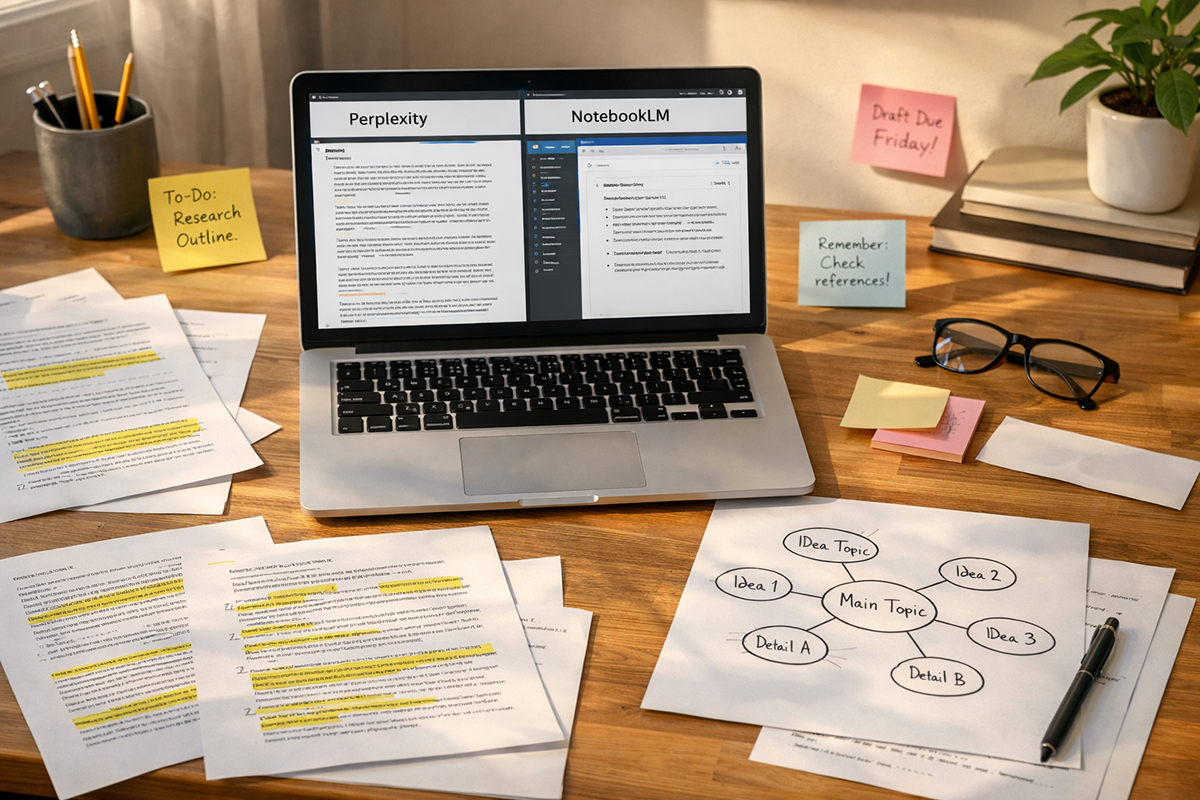
That’s where the “beyond Google” workflow comes in. Not as a replacement for search, but as a smarter sequence: use Perplexity for fast discovery with visible citations, then move into NotebookLM for grounded reading and synthesis based on your chosen sources. NotebookLM is designed to work from the materials you provide (and it can show inline citations to those sources), which changes how you study—less guessing, more evidence.
“The goal isn’t to ‘use AI’ for research. The goal is to build a workflow where AI can’t hide the evidence from you.”
This guide gives you that workflow—step-by-step, student-friendly, and realistic about what can go wrong.
Table of Contents
- 1) Why “Beyond Google” Research Matters in 2026
- 2) NotebookLM as Your Source-Grounded Study Partner
- 3) Perplexity for Discovery, Triangulation, and “Fast Context”
- 4) The Combined Workflow: From Question → Sources → Notes → Paper
- 5) Benefits, Risks, and How to Stay Credible (Pros + Concerns)
- FAQ: Practical Questions Students Actually Ask
1) Why “Beyond Google” Research Matters in 2026
Let’s be honest: students don’t struggle because they can’t find anything. They struggle because they find too much—and can’t tell what deserves trust. You search one topic and get a mix of blogs, aggregator sites, Wikipedia, Reddit, news articles, and “expert” pages that might be written by a person… or might be written by an AI that read other AI pages.
Google is still useful, but it’s no longer the whole job. The real job is research judgment:
- Which claims are supported by primary sources?
- Which sources are trying to sell you something?
- Where are the gaps, disagreements, or missing context?
- What evidence would a professor push back on?
And here’s the uncomfortable part: “AI answers” can speed you up, but they can also make you lazier if you don’t force them to show receipts. That’s why tools that emphasize citations and source-grounding matter. Perplexity emphasizes source transparency in answers. NotebookLM is built around working with your materials and giving grounded responses with inline citations back to those materials.
So instead of thinking “Google vs AI,” think like a researcher: discovery and synthesis are different phases. Discovery is where you cast a wide net and quickly map the landscape. Synthesis is where you slow down, compare sources, extract arguments, and form your own stance.
If you do this well, something surprising happens: you stop feeling like research is “collecting facts,” and it becomes what it should have been all along—building a defensible position. That’s what gets you better grades and stronger writing, even when everyone else is using shortcuts.
Want to go even deeper into student AI tools? You may also like these TrendFlash guides: Best Free AI Tools for Students and 7 Free AI Tools Better Than Paid Alternatives.
2) NotebookLM as Your Source-Grounded Study Partner
NotebookLM shines when you already have—or can gather—a set of materials you want to trust: lecture PDFs, journal articles, textbook chapters, class slides, or even a few high-quality web sources. Its superpower is not “being smart.” Its superpower is being tethered to your sources, with citations that let you check the original context.
Here’s how students should think about it:
- Google is for finding potential sources.
- NotebookLM is for understanding selected sources deeply.
Once sources are inside NotebookLM, you can ask for explanations, counterarguments, and study outputs—like flashcards or quizzes—based on what you uploaded. Google itself has described student-oriented uses such as generating flashcards and quizzes. But the most underrated use is this: turning messy reading into structured thinking.
Try prompts that force clarity:
- “List the author’s main claim, then the three strongest supports, with citations.”
- “What is the best objection to this argument, using only these sources?”
- “Create a one-page study brief with key terms, debates, and what I should memorize.”
NotebookLM also introduced “Audio Overviews,” which can turn your sources into a conversational deep-dive—useful when you want to absorb material while walking or commuting. Google’s help documentation explains these audio overviews as AI-hosted discussions designed to reflect your source content.
“When your notes are grounded in the exact pages you read, studying stops being ‘vibes’ and becomes evidence.”
Practical tip: Don’t dump everything into one notebook. Make notebooks by assignment or by theme (e.g., “Climate Policy Paper,” “Midterm: Cognitive Psych”), then keep a short “source hygiene” rule: only add sources you’d feel comfortable citing in a graded submission.
If you’re building a broader AI study stack, TrendFlash also covers student-friendly tool workflows in Best AI Tools in 2025 for Work, Study, and Creativity.
3) Perplexity for Discovery, Triangulation, and “Fast Context”
If NotebookLM is your “library desk,” Perplexity is your “research scout.” It’s designed as an answer engine that points you to sources, not just a list of links. That matters because students often lose hours to one of two traps:
- The rabbit hole: clicking endlessly and forgetting what you were trying to prove.
- The shallow skim: reading one page and treating it as truth.
Perplexity can help you escape both—if you use it like a researcher, not like a shortcut machine.
Use Perplexity for three jobs:
- Landscape mapping: “What are the main theories / approaches / debates on X?”
- Source triangulation: “Find me two opposing viewpoints and the strongest evidence for each.”
- Fast context: “Explain this concept like I’m new, then give me 5 credible sources to start.”
Perplexity’s help center explicitly highlights “source transparency,” with citations linking to original sources. It also has advanced search modes like Pro Search and Research mode designed for deeper querying and multi-step exploration. That’s valuable when your topic isn’t a simple definition, but a complicated question that needs multiple perspectives.
Here’s the student trick most people miss: don’t ask Perplexity to write your essay. Ask it to build your reading list, then verify each source. The moment you treat the citations as optional, you’re back to trusting vibes.
And yes—be aware of the broader debate about AI search and content. Perplexity has faced legal challenges from publishers over how AI systems use and reproduce content, which is part of a wider copyright conflict in AI. You don’t have to panic, but you should take it as a reminder: your safest academic workflow is one that quotes and cites original sources properly, not one that copies AI text.
4) The Combined Workflow: From Question → Sources → Notes → Paper
Let’s turn this into a repeatable system you can use for almost any assignment—history, business, psychology, computer science, even literature analysis.
| Phase | Best Tool | What You’re Producing | Common Mistake |
|---|---|---|---|
| Discovery | Perplexity | Topic map + source shortlist | Trusting the answer instead of checking sources |
| Selection | You (with Perplexity) | 5–12 credible sources | Choosing only easy-to-read blog posts |
| Deep Reading | NotebookLM | Grounded notes with citations | Dumping too many weak sources into the notebook |
| Synthesis | NotebookLM + you | Outline, claims, counterclaims | Letting AI “decide” your stance |
| Writing | You (AI as assistant) | Your draft + proper citations | Copy-pasting AI paragraphs unedited |
A checklist you can reuse for every assignment
- Start with a sharp question: “What causes X?” is weaker than “Under what conditions does X increase, and why?”
- Use Perplexity to map the debate and generate a shortlist of sources with citations.
- Open the cited sources and reject anything flimsy, overly salesy, or citation-less.
- Import only the best sources into NotebookLM and ask for claim-support tables with citations.
- Create your outline (your argument + 1–2 counterarguments).
- Write in your voice, then use AI for editing clarity—not for inventing evidence.
Real-life scenario: A student research sprint that doesn’t collapse
Imagine you’re a second-year college student with a 2,000-word paper due in ten days: “Should governments regulate generative AI in education?” You’re not trying to write a hot take—you need a balanced argument with credible sources, and you know your professor will penalize shallow references.
Day 1: You open Perplexity and ask: “What are the main arguments for and against regulating generative AI in education? Provide citations from policy, academic, and credible news sources.” The answer gives you a quick map: academic integrity concerns, privacy, bias, accessibility, and pedagogy shifts—plus links. Instead of copying the response, you click through. You notice two sources are opinion blogs with weak references; you discard them. You keep a policy brief, a university guidance document, and a well-sourced analysis from a reputable publication. You then ask a second query: “Find the strongest counterargument to strict regulation, and sources supporting it.” Now you have tension—your paper won’t read like propaganda.
Day 2–3: You import your selected sources into NotebookLM. Now you’re reading with a purpose. You ask: “Extract the top 7 claims made across these sources, with citations for each.” Then: “Which claims are disputed across sources?” This is where your outline forms naturally: you can structure the paper around the disputed claims, not around vague themes.
Day 4: You generate study-style outputs: a brief with definitions (in your own words after verifying), key terms, and a section called “Likely Professor Objections.” You even use an Audio Overview to re-hear the core arguments while commuting, making it easier to remember the shape of the debate.
Day 5–7: You write the draft yourself. When you feel stuck, you ask NotebookLM to show “two ways to explain this paragraph more clearly, staying grounded in these sources.” You verify every major claim against the citations. Now the final paper sounds like you—but it has the structure and evidence of someone who actually did the reading.
The result? You didn’t just “finish.” You built a paper you can defend in discussion, because you can point to where each idea came from.
5) Benefits, Risks, and How to Stay Credible (Pros + Concerns)
Used well, NotebookLM + Perplexity can genuinely raise the quality of student work. Used poorly, it can turn into a credibility trap. Let’s keep this balanced.
Pros (what gets better fast)
1) Less tab chaos, more direction. Perplexity helps you get oriented quickly, and NotebookLM helps you stay inside your evidence set instead of wandering.
2) Better source discipline. When you rely on citations and grounded notes, you naturally start separating “claims” from “proof.” Perplexity’s emphasis on citations and NotebookLM’s grounded approach encourage that habit.
3) Stronger arguments, not just more text. The workflow pushes you to include counterarguments and disputes, which is what most student essays lack.
Concerns (what can go wrong)
1) Citation theater. Students sometimes treat citations as decoration. But a citation isn’t proof if it doesn’t actually support the sentence. Always click through and read the relevant paragraph in the source.
2) Over-trusting “clean” AI writing. AI prose can sound polished while quietly flattening nuance. If you didn’t understand it before you pasted it, you probably won’t defend it later.
3) Copyright and academic integrity pressure. AI search and summarization tools are in the middle of legal and ethical debates about reproducing content; Perplexity has faced publisher lawsuits related to how content is used. On the academic side, your institution may have rules on AI assistance. Treat AI as a study partner and editor—not a ghostwriter.
4) Weak sources in, weak thinking out. NotebookLM can only be as good as what you feed it. If you upload low-quality blogs, it will produce low-quality synthesis—just faster.
The credibility rule that saves you: whenever you write a “big claim,” force yourself to answer: “Which source supports this—and where?” If you can’t point to it, rework the claim or find better evidence.
FAQ: Practical Questions Students Actually Ask
1) Is Perplexity “better than Google,” or is it just another shortcut?
It’s not automatically better—it’s different. Google is a massive index that gives you links and lets you decide what matters. Perplexity tries to give you a synthesized answer while showing citations to sources. That can save time in the early phase (especially when you don’t know the vocabulary of a topic yet), but it becomes a shortcut if you never click the sources. A smart student uses Perplexity to map the landscape, then uses the citations as a to-do list: open, evaluate, and keep only what’s credible. In other words, Perplexity can reduce wandering—but it can’t replace judgment. If you treat it like a “final answer machine,” you’ll eventually get burned by a shallow or mismatched citation.
2) What kinds of assignments are best for NotebookLM?
NotebookLM is best when you have a bounded set of sources and you need deep comprehension or synthesis—research papers, reading-heavy humanities assignments, policy briefs, literature reviews, and exam prep. It’s designed to chat with your notebook based on your sources and provide grounded information with inline citations. If your assignment requires quoting or referencing course material, NotebookLM’s structure is especially helpful because it encourages you to stay inside your evidence. It’s less helpful for “anything on the web” unless you first curate sources. Think of it like bringing your own library into a workspace where you can interrogate it—asking for comparisons, extracting arguments, and creating study materials like flashcards or quizzes (which Google has highlighted for students).
3) How do I avoid hallucinations or wrong info when using these tools?
You avoid hallucinations by changing the game: stop asking for “facts,” and start asking for evidence-linked claims. With Perplexity, always treat citations as mandatory—open them and confirm the claim is actually supported. With NotebookLM, force answers to stay grounded: “Use only these sources. Provide citations for each claim.” Also, build a habit of triangulation: if a claim matters (dates, numbers, causal relationships), confirm it in at least two independent sources. Finally, watch for “smooth uncertainty”—AI often sounds confident even when it’s guessing. If an answer feels oddly definitive on a contested topic, that’s your cue to look for disagreement in the sources, not to trust the first polished paragraph.
4) Will using AI tools get me accused of cheating?
It depends on your institution and how you use them. Many schools distinguish between using AI as a study assistant (organizing notes, explaining concepts, generating quizzes) and using AI as a ghostwriter (submitting AI-written text as your own). The safest approach is: use these tools to find sources, understand sources, and improve your writing clarity—while keeping the argument, structure, and final wording yours. If your professor asks, you should be able to explain your workflow and show your sources and notes. That transparency protects you. And it aligns with what these tools are best at anyway: Perplexity emphasizes source-linked discovery, and NotebookLM is built around grounding in your materials with citations.
5) How many sources should I use for a typical college paper?
There’s no universal number, but most students do better with fewer, stronger sources than with a long list of weak ones. For a standard 1,500–2,500 word paper, 6–12 credible sources is a practical range—mixing primary/academic material with a small number of reputable secondary sources. The reason is simple: you need enough coverage to show you understand the debate, but not so much that you never read deeply. Use Perplexity to build an initial shortlist, then be ruthless: keep sources that provide evidence, methods, or authoritative frameworks. Then import only the “keepers” into NotebookLM so your notes and synthesis stay clean and grounded. If you’re pressed for time, prioritize sources that contain original data, formal arguments, or institutional guidance—not ones that merely summarize others.
6) What’s the best way to take notes so I can write faster later?
Write notes in a way that already resembles an outline. In NotebookLM, ask for “claims, supports, and citations,” then reorganize the result into 3–5 sections that match your argument. Create a dedicated “counterarguments” section early—students usually bolt it on at the end, and it feels fake. Also add a “quote bank” with short, high-value quotes and page references for each. The key is to make your notes actionable: each note should answer, “How would I use this in a paragraph?” If you do that, writing becomes assembly, not panic. And if you’re using Audio Overviews for review, treat them like reinforcement, not replacement—listen to remember the shape of the material, then go back to the source text for precision.
Want more student-friendly AI workflows? Browse TrendFlash’s AI tools coverage here: AI Tools & Apps.
About the Author
Girish Soni is the founder of TrendFlash and an independent AI strategist covering artificial intelligence policy, industry shifts, and real-world adoption trends. He writes in-depth analysis on how AI is transforming work, education, and digital society. His focus is on helping readers move beyond hype and understand the practical, long-term implications of AI technologies.