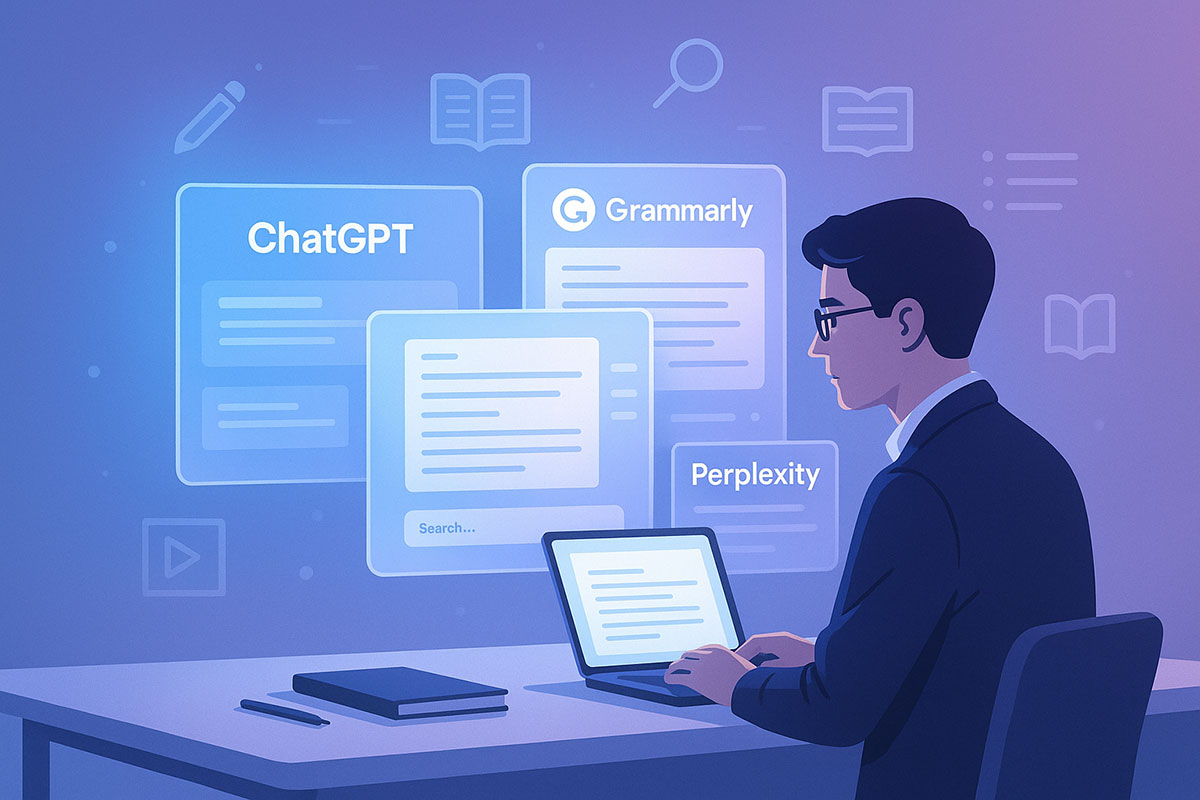
The Student AI Toolkit Revolution
Walk into any university library or coffee shop where students congregate, and you'll notice something remarkable: no two students are using the same combination of AI tools. One student might have ChatGPT, Notion, and Grammarly open simultaneously. Another might be working exclusively with Perplexity AI and Quillbot. A third is using Gemini to research while Otter transcribes their lecture in the background.
This diversity reflects how rapidly the AI tool ecosystem has matured and how differently students approach their learning. The data backs this up. The 2025 HEPI survey found that while 92% of students use some form of AI, they're not all using the same tools or for the same purposes. Some use AI tools almost exclusively for writing and editing, others for research and information synthesis, still others for organizing and understanding complex material.
Understanding these 15 tools—the ones that appear most frequently in student workflows and feature prominently in educational discussions—provides insight into both the capabilities reshaping education and the ethical frameworks institutions are developing around them.
The Core Writing and Thinking Tools
1. ChatGPT (OpenAI) – The Conversational Foundation
ChatGPT remains the dominant AI tool among students, with 64% of AI-using students employing it for text generation. It's the tool students turn to for generating outlines, drafting paragraphs, explaining concepts, and brainstorming ideas. The platform's strength lies in its conversational nature—students can iterate, ask follow-up questions, and gradually refine their thinking through dialogue with the AI.
Common student use cases include generating essay outlines before writing their own version, asking ChatGPT to explain a difficult concept multiple ways until it clicks, or using it to translate complex academic language into everyday explanations. The key ethical boundary: students should write their own essays using outlines and ideas from ChatGPT, not submit ChatGPT's drafts directly.
2. Grammarly – The Quality Control Layer
Grammarly has been part of students' workflows for years, but its AI capabilities have evolved significantly. While Grammarly started as a spelling and grammar checker, it now offers sophisticated style suggestions, tone adjustment, and clarity improvements. What makes Grammarly particularly valuable for students is that it integrates directly into browsers, email clients, and writing applications, providing real-time feedback.
The tool is designed to enhance student writing without doing it for them. When Grammarly suggests rewording a sentence for clarity, students engage with that suggestion, understand the reasoning, and either implement it or reject it in favor of their own approach. This interactive process supports learning rather than replacing it. Approximately 39% of students report using Grammarly or similar editing tools, and it represents one of the most ethically unambiguous applications—editing is widely permitted across academic institutions.
3. Quillbot – The Paraphrasing Specialist
Quillbot serves a specific function: rephrasing and summarizing text while maintaining meaning. For students, this tool is invaluable for understanding complex material and avoiding accidental plagiarism. When a student reads a particularly dense academic paper and wants to summarize it for their notes, Quillbot can generate multiple versions of that summary, helping the student understand the core ideas from different angles.
The ethical framework around Quillbot requires transparency. Students should never use Quillbot to rephrase source material without acknowledging they've done so—that would constitute plagiarism regardless of the tool used. But using Quillbot to create study notes that synthesize your understanding of material is a legitimate learning application. The tool should enhance comprehension, not obscure sources.
4. Google Gemini – The Integrated Research Partner
Google's Gemini represents the growing capability of large language models to engage across multiple dimensions of student work. Gemini can help students brainstorm research questions, explain complex concepts, and even assist with coding. Its integration with Google's broader ecosystem means students can access research tools, document templates, and web search results within the same interface.
What distinguishes Gemini for many students is its multimodal capability—it can analyze images, PDFs, and documents, making it particularly useful for students working with visual materials, scientific data, or complex diagrams. Students report using Gemini to help interpret graphs, explain what statistical outputs mean, and understand how visual information relates to textual concepts.
The Research and Information Tools
5. Perplexity AI – The Citation-Rich Research Assistant
Perplexity AI has carved out a specific niche that ChatGPT doesn't fully occupy: providing direct answers with reliable citations. When a student asks a research question on Perplexity, the tool doesn't just generate a response—it shows the sources it's drawing from, making it useful for academic research where source documentation is essential.
Students researching topics report that Perplexity saves significant time by synthesizing information from multiple sources and providing citations they can follow. Unlike traditional search engines that require students to read through multiple websites, Perplexity delivers synthesized information with clear source attribution. The ethical application here is straightforward: students should verify Perplexity's citations and not accept its synthesis uncritically, but using it as a research starting point that points toward authoritative sources is entirely appropriate.
6. NotebookLM by Google – The Research Compiler
NotebookLM represents an emerging category of AI tools designed specifically for research workflows. Students can upload PDFs, Google Docs, YouTube transcripts, or audio files, and NotebookLM will summarize them, surface connections between ideas, answer questions about the materials, and even generate study guides. For students compiling research from multiple sources, this represents a significant time-saving tool.
The distinction between legitimate and problematic use here depends on student intent. Using NotebookLM to help you understand the material you're researching—generating study summaries, asking the tool to explain connections—supports learning. Submitting NotebookLM's summaries as your own analysis would not.
7. Consensus – The Scientific Research Filter
Consensus addresses a specific pain point for students in STEM fields and research-heavy disciplines: navigating the overwhelming volume of academic papers. The tool filters for peer-reviewed research and provides plain-language summaries of complex scientific findings. For a student writing a literature review, Consensus can identify the most relevant research and explain what each study found in accessible language.
This tool exemplifies AI in service of genuine learning. Rather than replacing the need for students to read and understand research, Consensus makes that research more accessible. Students still need to read and critically engage with the papers they cite, but Consensus makes the initial filtering and understanding process more efficient.
The Productivity and Organization Tools
8. Notion AI – The Digital Knowledge Hub
Notion has evolved from a note-taking application to a comprehensive knowledge management system, and its AI capabilities reflect that evolution. Students can use Notion AI to generate summaries of their lecture notes, brainstorm essay ideas, convert notes into study guides, and even create flashcards automatically.
What makes Notion AI particularly powerful is that it operates on student-created content. When a student pastes their notes into Notion and asks the AI to generate a study guide, the AI is working with material the student has already processed. This positions AI as a tool for synthesizing and organizing thinking that students have already done, rather than replacing that thinking.
9. Microsoft Copilot – The Omnipresent Assistant
Microsoft Copilot's integration into Windows, Office applications, and browsers positions it as an omnipresent study assistant. Students can use Copilot within Word to improve their writing, within Excel to understand data, and within PowerPoint to design presentations. Its accessibility—built into tools students already use—makes it easy for students to access AI assistance without opening additional applications.
10. OneNote and Evernote AI Integration – Seamless Note Capture
While not AI tools themselves, note-taking applications increasingly integrate AI capabilities. Students use these tools to capture lecture notes, and AI features help organize those notes, suggest topic tags, and create searchable summaries. The integration of AI into existing note-taking workflows represents a trend toward embedded rather than standalone AI tools.
The Specialized Learning Tools
11. Khanmigo – The Adaptive Tutor
Khan Academy's Khanmigo represents a purpose-built AI tutoring system. Unlike general-purpose language models, Khanmigo is trained specifically to tutor students in math, science, and humanities. The tool guides students through problem-solving processes, asks questions to check understanding, and provides targeted explanations.
For students, Khanmigo represents AI functioning as a personal tutor—the kind of individualized, adaptive teaching that historically only wealthy students could afford. Students report using Khanmigo to work through challenging concepts, prepare for exams, and build confidence in subject areas where they struggle.
12. Duolingo Max – The Language Learning Companion
Language learning has been transformed by AI-powered adaptive systems. Duolingo Max offers conversational AI that allows students to practice languages with an AI interlocutor, creating immersive learning experiences that traditional language programs couldn't match. Students can practice real conversations, get feedback on pronunciation and grammar, and learn in context.
13. Jamie and Otter – The Lecture Transcription System
For students with hearing challenges or those who simply want a comprehensive record of lectures, tools like Jamie and Otter provide real-time transcription and intelligent summarization. These tools record lectures, transcribe them accurately, and create searchable notes that students can reference later.
The ethical clarity around transcription tools is particularly strong: using recordings to create comprehensive notes that support your learning is legitimate. However, some institutions have policies about audio recording lectures—students should always check their institution's guidelines before using these tools.
The Design and Multimedia Tools
14. Canva AI – The Creative Equalizer
For students creating presentations, posters, or other visual materials, Canva AI democratizes design. Students without graphic design skills can use AI to generate design suggestions, adjust layouts, and create professional-looking visuals. For presentations, this means students can focus on their content and ideas while Canva's AI handles visual presentation.
15. ElevenLabs – The Voice Generation Tool
For multimedia projects, presentations, or creating accessible versions of written materials, ElevenLabs provides high-quality text-to-speech with natural intonation. Students creating educational videos, podcasts, or presentations can use this tool to generate voiceovers. Some students with learning differences use ElevenLabs to convert written materials to audio for better comprehension.
Building the Ethical Framework: What Teachers Catch and What They Don't
As institutions have adapted to widespread student AI use, they've developed increasingly sophisticated detection approaches. Understanding what educators can identify—and what they can't—provides important context for ethical use decisions.
What Institutions Commonly Detect:
Teachers have developed an intuitive feel for students' actual writing capabilities. When a struggling writer suddenly submits a perfectly polished essay, or when a student's speaking ability in class bears no relationship to their submitted writing, red flags go up. Teachers who know their students' voices, writing styles, and intellectual capabilities can often sense when something is off.
Additionally, institutions are deploying AI detection tools like GPTZero, which achieves 99%+ accuracy in identifying purely AI-generated content. However, these tools become less reliable when students have significantly edited AI output or when they've used AI for portions rather than totality of their work.
What Institutions Struggle to Detect:
The critical insight from recent research: AI detection tools miss AI-generated submissions 94% of the time when those submissions have been edited by humans. An student who uses ChatGPT to draft an essay, then substantially revises it with their own thinking and additions, creates a text that looks largely human-written.
More importantly, there's no technological way to distinguish between legitimate AI use (using ChatGPT to explain a concept for your own understanding) and prohibited use (having ChatGPT write something you'll submit unchanged). The only way to ensure academic integrity is through clear policies, direct questioning of students about their process, and assessment design that makes pure AI completion impossible.
The Red Flags: Behaviors Teachers Catch
Research from postgraduate students' reflective essays on academic integrity identified specific behaviors that violate ethical norms:
Full Delegation: Asking an AI tool to complete an entire assignment without any student intellectual contribution crosses into clear misconduct. This might be obvious in cases where an AI generates an entire essay, but it's also violated when a student uses AI to write code without understanding it, or uses AI to create an experimental methodology without engaging with why those choices matter.
Lack of Transparency: The ethical distinction often hinges on transparency. Using AI and disclosing it is fundamentally different from using AI secretly. When assignments allow AI use, students should indicate where they used it and how. When assignments prohibit it, not using it is the ethical expectation.
Uncritical Use: Using AI outputs without evaluating them for accuracy, bias, or appropriateness violates academic integrity. When ChatGPT generates information that sounds authoritative but is false, a student who includes that information without verifying it has violated intellectual standards.
Policy Violation: Different assignments and institutions have different rules. An assignment that permits AI-generated outlines but requires original essay writing is not violated by using AI for outlining. Submitting work created in that context violates the assignment's specific parameters, not some universal standard.
How to Use Each Tool Ethically: A Practical Guide
ChatGPT Ethical Use:
- ✅ Use it to brainstorm essay ideas and generate outlines
- ✅ Use it to explain concepts you don't understand
- ✅ Use it to review your draft and suggest improvements
- ❌ Don't submit its drafts without substantial rewriting
- ❌ Don't use it to write essays you'll submit unchanged
Grammarly Ethical Use:
- ✅ Use it to edit your writing and improve clarity
- ✅ Use it to adjust tone and style
- ✅ Use it to catch spelling and grammar errors
- ❌ Don't rely on it as your only editing
- ❌ Don't use it to obscure ideas that are fundamentally unclear
Perplexity AI Ethical Use:
- ✅ Use it for research starting points with source citations
- ✅ Follow its citations to original sources
- ✅ Use it to synthesize information across multiple sources
- ❌ Don't cite Perplexity as a source; cite the original sources it found
- ❌ Don't accept its synthesis without verifying against sources
Notion AI Ethical Use:
- ✅ Use it to organize and synthesize notes you've already taken
- ✅ Generate study guides from your own notes
- ✅ Create flashcards from your class materials
- ❌ Don't use it to avoid taking notes in the first place
- ❌ Don't submit Notion-generated summaries as your analysis
Code-Related Tools Ethical Use (Copilot, ChatGPT for programming):
- ✅ Use them to understand how to solve problems
- ✅ Use them for syntax help when you understand the logic
- ✅ Use them to learn best practices and patterns
- ❌ Don't submit code you don't understand
- ❌ Don't use them to complete assignments without learning
- ❌ Don't copy-paste code without understanding what it does
Creating Institutional AI Policies That Work
The most effective institutional policies don't ban AI—they clarify expectations. Institutions that have successfully integrated AI into their academic integrity frameworks typically:
Specify What's Permitted: Rather than assuming students know the boundaries, effective policies state explicitly what's allowed. "Students may use ChatGPT to brainstorm essay ideas and generate outlines, but submitted essays must be substantially written by the student" is clear. "Don't use AI" is not.
Explain the Reasoning: When students understand why certain uses are permitted and others aren't—that it's about supporting genuine learning, not about preventing tool use—they make better decisions. Policies that explain that outlines are permitted because they support your thinking, but that submitting AI-generated analysis violates learning objectives, help students internalize the values rather than merely following rules.
Provide Examples: Showing specific scenarios—"Example: Using Grammarly to edit your essay is permitted. Example: Submitting an essay written by ChatGPT without your own rewriting is not permitted"—reduces ambiguity about gray areas.
Train Faculty and Students: Policies only work if people understand them. Institutions investing in AI literacy training for both faculty and students see better compliance and more thoughtful AI use. Faculty need to understand what students' actual capabilities are with these tools so they can design assessments accordingly. Students need to understand the spirit of the policy, not just the letter.
Distinguish Tool Categories: Writing assistants that enhance work (Grammarly) have different ethical status than work-completion tools. Research assistants with citations have different status than content generators. Policies that distinguish between tool categories are more nuanced and useful than blanket bans or blanket permissions.
The Future: AI-Aware Assessment Design
The most significant shift happening in higher education is away from trying to detect AI use and toward designing assessments that work in an AI-rich environment. If multiple-choice exams or essays written outside class are easily completed by AI, the solution isn't stricter detection—it's different assessments.
Institutions pioneering this shift are moving toward:
In-class Assessment: Exams and assessments conducted in controlled environments where AI tool use can be specified and limited.
Process Documentation: Assignments that require students to show their work, document their thinking, and explain their process. This is inherently harder for students to fake with AI assistance.
Reflective Components: Questions that ask students to reflect on their learning process, explain why they made certain choices, and discuss what was challenging. These require genuine engagement with the material.
Collaborative Assessment: Group projects where students work together, making it harder for individual AI use to substitute for individual learning.
Practical Application: Assignments that require applying learning to new contexts, creating something new, or solving novel problems. These are harder to complete with AI without genuine understanding.
This represents a substantial shift from traditional assessment, but it's increasingly recognized as essential in an AI-augmented world. Institutions investing in assessment redesign are seeing better learning outcomes and clearer distinctions between students who've genuinely learned and those trying to game the system.
The Student Perspective: Why These Tools Matter
From a student's standpoint, this ecosystem of tools addresses genuine challenges. Students are often working multiple jobs, managing mental health challenges, navigating different teaching styles, and trying to succeed in a competitive environment. AI tools that help them learn more efficiently, understand difficult material more clearly, and produce higher-quality work represent genuine value.
The students most enthusiastically adopting these tools aren't trying to avoid learning—they're trying to learn better. A struggling math student using Khanmigo isn't evading learning; they're accessing tutoring they couldn't otherwise afford. A non-native English speaker using Grammarly isn't cheating; they're leveling a playing field where native speakers have advantages in writing-based assessments.
When institutions frame AI as a threat to be detected and prevented, they position themselves against students' own experience that these tools help them learn. When institutions frame AI as a literacy to be developed and governed, they align with students' actual values and behaviors.
Integrating AI Literacy Into the Curriculum
The most successful institutional responses integrate AI literacy into the curriculum itself. Rather than treating AI as a problem to be solved, leading institutions are treating it as a topic to be studied and a capability to be developed.
This might mean adding modules to first-year courses that teach students how AI works, what its limitations are, and how to evaluate AI outputs critically. It might mean discipline-specific approaches: computer science students learning about AI bias and fairness, humanities students studying how AI is reshaping language and creativity, business students learning about responsible AI implementation.
Students who've spent time thinking critically about AI—its capabilities, limitations, and ethical implications—make better decisions about how to use it. They develop internalized ethical frameworks rather than relying purely on external rules.
The Role of Student Responsibility
Ultimately, the integration of AI into education works only if students embrace the responsibility that comes with access to these powerful tools. Students who understand that using AI is about supporting genuine learning, not about evading it, make fundamentally different choices.
The student using ChatGPT to understand quantum mechanics instead of looking up a summary, even when the summary would be easier, is making a choice about their own development. The student being honest about where they used AI in their work, even when they might get away with hiding it, is making a character decision with implications that extend far beyond grades.
The 15 tools highlighted here are powerful, useful, and increasingly central to how students work. Used thoughtfully, they support learning and prepare students for a world where AI collaboration is standard. Used as shortcuts to avoid learning, they undermine education and compromise the credentials that degrees represent.
Conclusion: A Practical Framework for Student Success
The landscape of student learning in 2025 includes AI tools as default components of the toolkit. Rather than pretending this isn't the case or treating it as a problem to be solved through detection, the path forward involves integrating these tools thoughtfully into educational practice.
For students, this means understanding each tool's strengths and limitations, using them with intention toward genuine learning, and being transparent about how you're using them. For institutions, it means developing clear policies, training faculty and students in AI literacy, redesigning assessments to work in an AI-rich environment, and supporting students in developing the judgment that using these tools ethically requires.
The 92% of students using AI in 2025 aren't going away. The question isn't how to prevent their use—it's how to ensure that use serves education rather than undermining it. The tools are here. The institutions and practices that learn to use them wisely will define the future of higher education.
Related Links: