The Nano Banana 2 Phenomenon: Why the Internet Can't Stop Talking About It
It started with a simple name—"Nano Banana"—that began as an internal placeholder at Google. Within weeks, it became the preferred term for Google's Gemini 2.5 Flash image generation capabilities. And now, Nano Banana 2 is creating waves across social media before even having an official launch.
On November 10, 2025, images allegedly generated by Nano Banana 2 began appearing on Reddit, X (formerly Twitter), and other platforms. Within days, the hashtag was trending globally. But unlike most internet viral moments that fade quickly, Nano Banana 2 has sustained momentum—six days and counting—because the underlying technology is genuinely impressive and represents a meaningful leap forward in AI image generation capabilities.
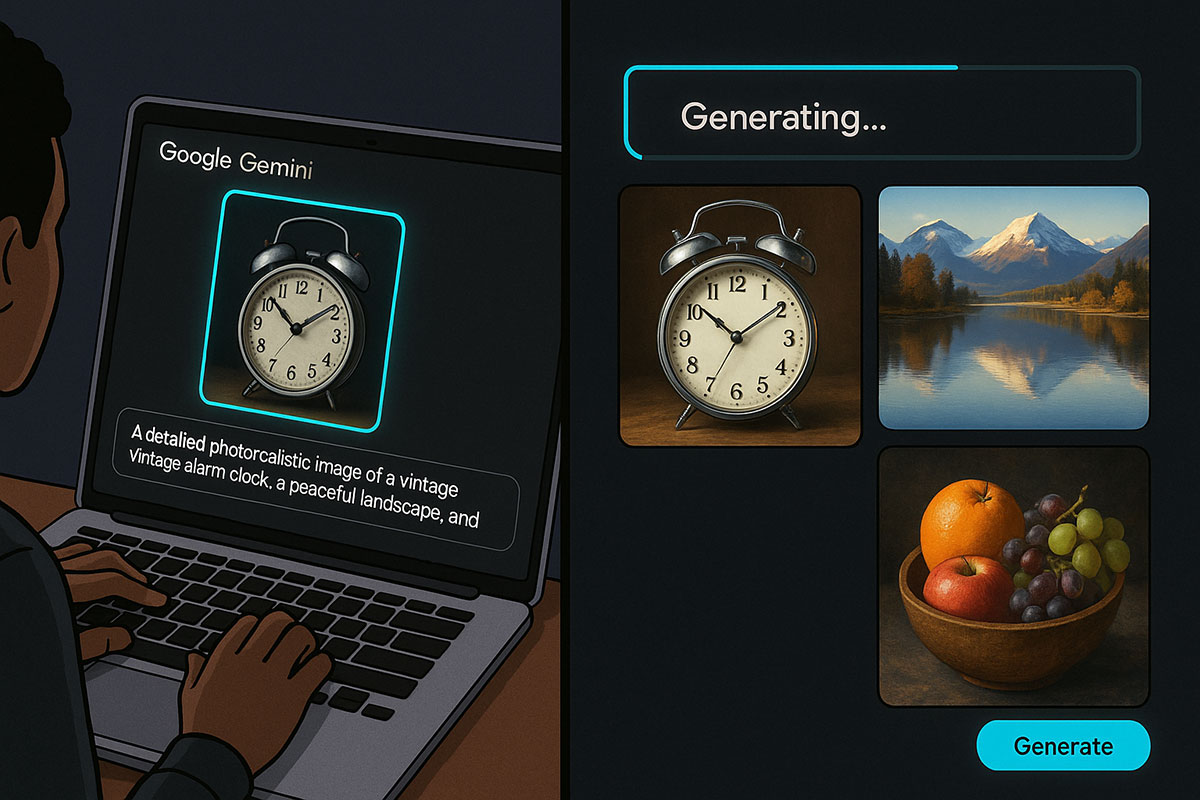
The viral excitement centers on something simple but profound: Nano Banana 2 has apparently solved problems that have plagued AI image generators for months. The most viral test? Generating a clock showing an accurate time (like 11:15) AND a full wine glass in the same image—two things that AI models traditionally struggled with. Screenshots showing clocks displaying correct times and glasses filled to realistic levels flooded social media, with users expressing astonishment at the accuracy.
What Is Nano Banana 2? The Technical Breakdown
Before diving into the how-to, understanding what Nano Banana 2 actually is will help you use it effectively.
The Nano Banana Naming Mystery Solved
Google never officially called its image generator "Nano Banana." The term emerged organically from the developer community. When Google launched Gemini 2.5 Flash with integrated image generation capabilities, early users noticed a small banana icon next to the image generation tool in the interface. Combined with the model's lightweight efficiency ("nano"), the community dubbed it "Nano Banana," and the name stuck. Google eventually confirmed it had used "Nano Banana" as an internal codename and embraced the public terminology.
Nano Banana 2: What's New?
Based on leaked capabilities and early tester reports, Nano Banana 2 introduces significant improvements over the original Nano Banana:
Text Rendering: The original Nano Banana struggled to render readable text in images. Nano Banana 2 apparently demonstrates dramatic improvements, with users sharing screenshots of text-heavy images (classroom whiteboards, software interfaces, newspaper layouts) rendered with high fidelity.
Resolution Support: Original support was limited to 1K resolution. Nano Banana 2 reportedly supports 2K and 4K resolutions, plus flexible aspect ratios (9:16, 16:9) that previously caused issues.
Adherence to Instructions: One of the biggest improvements is "instruction following." Rather than sometimes ignoring or misinterpreting user prompts, Nano Banana 2 reportedly adheres much more closely to detailed natural-language instructions.
World Knowledge: The model apparently has broader and more current knowledge about real-world objects, people, locations, and contexts, leading to more accurate and contextually appropriate generations.
Iterative Refinement: Multi-turn editing is reportedly smoother, with the AI maintaining better contextual awareness of previous edits and user intent across multiple iterations.
Integration With Gemini 3.0?
Industry speculation suggests Nano Banana 2 may integrate with Google's upcoming Gemini 3.0 architecture. If true, this would represent a significant architectural advancement, combining Google's latest reasoning capabilities with improved image generation. However, Google has not officially confirmed this.
How to Use Nano Banana 2: Step-by-Step Guide
As of November 2025, Nano Banana 2 hasn't received an official public launch date. However, based on the leaked access methods and current availability, here's how to access and use it.
Method 1: Google Gemini (Most Accessible)
Step 1: Navigate to Gemini
Open your web browser and go to gemini.google.com. If you prefer mobile, download the Google Gemini app (available on iOS and Android). Sign in with your Google account.
Step 2: Locate Image Generation Tools
On the Gemini interface, look for a "Tools" button next to the main prompt input box. Click it and select "Create images." You should see the banana icon next to this option—a visual confirmation you're accessing the right tool.
Alternatively, look for a banner notification saying "Make more magical images with enhanced image editing." Click "Try now" if you see this prompt.
Step 3: Choose Your Starting Point
You have three options:
- Text-to-image: Write a detailed text prompt describing the image you want to generate
- Image upload: Upload an existing photo or image you want to edit or transform
- Hybrid: Upload an image and modify it based on your text prompt
Step 4: Write Your Prompt
This is where creativity meets AI. The quality of your output depends heavily on prompt quality. Be specific, detailed, and descriptive. Good prompts typically include:
- What you want to see (primary subject)
- Context and setting
- Visual style or aesthetic
- Specific details (colors, lighting, composition)
- What you DON'T want (using "avoid" or "no")
Example Prompt 1 (Image Generation):
"A photorealistic photo of a woman wearing a professional navy blazer and white blouse, sitting at a modern glass desk in a bright startup office with floor-to-ceiling windows. The background shows a city skyline. Soft natural lighting, professional headshot style, warm color grading, shallow depth of field."
Example Prompt 2 (Image Editing):
"Upload a photo of yourself. Prompt: Transform this into a professional headshot. Remove the background and replace it with a modern minimalist office setting. Enhance the lighting and color grading for professional photography."
Step 5: Generate and Iterate
Click the "Generate" button (or "Run" in AI Studio). Nano Banana 2 typically generates images in 5-10 seconds. Review the output. If you want to refine it, write a follow-up prompt describing what to change: "Make the background brighter," "Add more red tones," "Zoom in on the subject," etc.
This iterative process is where Nano Banana 2 shines. The AI maintains context from previous edits, so each refinement builds on the last rather than starting fresh.
Step 6: Download or Share
Once satisfied, download the image or share it directly. Note: Google embeds an invisible watermark (SynthID) in Nano Banana 2 images for provenance tracking.
Method 2: Google AI Studio (Free, Developer-Friendly)
Step 1: Access AI Studio
Go to aistudio.google.com and sign in with your Google account. No payment is required for initial testing.
Step 2: Set Up Image Generation
On the left-hand menu, click "Generate media" or "Image generation." This opens the Nano Banana interface directly.
Step 3: Create Your Image
Upload images or write text prompts using the same process described above. AI Studio gives you direct access to the model with the same capabilities as Gemini.
Advantage: AI Studio provides a more technical interface with additional parameters you can tweak for advanced users.
Method 3: Gemini Mobile App (On-the-Go)
Download the Google Gemini app, tap the "Tools" or "+" button, select "Create images," and follow the same process. The mobile experience is slightly simplified but fully functional.
Real-World Nano Banana 2 Use Cases With Example Prompts
Use Case 1: Professional Headshots and Personal Branding
Scenario: You need a professional headshot but don't have a photographer available.
Prompt:
"Create a professional headshot photo of a business professional. Medium skin tone, professional attire (navy blazer, white dress shirt), warm smile, looking directly at camera. Modern office setting background with subtle lighting. High-quality photography style, sharp focus on face, professional color grading. Headshot composition, white space on sides."
Why this works: Nano Banana 2's improved instruction-following means it respects composition guidance. Professional photographers use specific language (headshot composition, shallow depth of field, key lighting), and Nano Banana 2 now understands these technical terms.
Use Case 2: Product Photography and E-Commerce
Scenario: You're launching an e-commerce product but don't have product photos yet.
Prompt:
"Product photography of a stainless steel water bottle. Front-facing shot showing the full product. Sleek, minimalist design. Professional lighting from the left, subtle shadows. White background. High-resolution, magazine-quality product photography. Sharp focus on bottle details. Cool color temperature."
Why this works: AI image generators now produce photorealistic product shots good enough for e-commerce listings. Nano Banana 2's improved text rendering means you can include labels or branding details.
Use Case 3: Interior Design Visualization
Scenario: You want to visualize a room redesign before purchasing furniture.
Initial prompt:
"Modern living room with hardwood floors, large windows overlooking city skyline, minimalist aesthetic, natural daylight."
Follow-up prompts (iterate):
- "Add a gray sectional sofa on the left side"
- "Add a glass coffee table in front of the sofa"
- "Add floating shelves above the sofa"
- "Increase the brightness of the overall scene"
Why this works: Iterative refinement lets you build a scene step-by-step. The AI maintains context, so each addition appears naturally integrated.
Use Case 4: Social Media Content Creation
Scenario: You need Instagram-ready images but don't have time for a photoshoot.
Prompt:
"Instagram photo of a woman enjoying a morning coffee outdoors. Warm golden-hour sunlight. Bohemian aesthetic, natural styling. Shot from above (flat-lay adjacent), coffee cup in hand, cozy sweater. Warm color grading, soft focus background, natural lighting. Lifestyle photography style."
Why this works: Nano Banana 2 understands aesthetic preferences (bohemian, minimalist, vintage) and lighting conditions (golden hour, soft light, harsh shadows). These descriptive terms improve output quality.
Use Case 5: Concept Art and Creative Ideation
Scenario: You need concept art for a creative project (game, film, book).
Prompt:
"Concept art of a futuristic cyberpunk city at night. Neon-lit streets, towering holographic billboards, flying vehicles, dense urban environment, rain-slicked streets. Blade Runner aesthetic, cool color palette with neon pinks and blues. Dramatic lighting, cinematic composition. Unreal Engine 5 style rendering."
Why this works: Nano Banana 2 understands artistic references (Blade Runner aesthetic, Unreal Engine style) and visual concepts (cyberpunk, holographic, neon). Referencing established visual styles improves output coherence.
Viral Nano Banana 2 Images: What Makes Them Special?
The images circulating on social media showcase specific technical breakthroughs:
The Clock Accuracy Test
The Challenge: AI models have historically failed at rendering correct analog clock times. They often show clocks displaying random or impossible times.
What Changed: Nano Banana 2 apparently understood the prompt "11:15 on the clock" and rendered it accurately. Users posted screenshots showing clock hands positioned correctly for 11:15. This seems like a small detail, but it indicates fundamental improvement in spatial reasoning and instruction-following.
Why It Matters: If an AI can accurately render clock positions from text instructions, it suggests the model understands spatial relationships, numerical values, and mechanical objects—capabilities that extend to countless other applications.
The Wine Glass Test
The Challenge: Generating a wine glass filled to a specific level has been surprisingly difficult for AI. Glasses often appear half-filled when full was requested, or incorrectly shaped.
What Changed: Users reported Nano Banana 2 generated images showing wine glasses filled to realistic levels with accurate liquid reflections and transparency.
The Combined Test: The most viral images showed BOTH a correctly-timed clock AND a properly-filled wine glass in the same image. This is non-trivial because it requires the AI to manage multiple spatial and visual constraints simultaneously.
Text Rendering Breakthrough
Multiple viral images show text rendered correctly in AI-generated scenes:
- Classroom whiteboards with legible math problems
- Software screenshots with readable code
- Newspaper layouts with actual text
- Signs and labels with accurate text
Why This Matters: Text rendering in AI images is notoriously poor. If Nano Banana 2 can generate readable, contextually accurate text, it opens new use cases: product packaging design, user interface mockups, document layouts.
Photorealistic People and Complex Scenes
Early testers shared images of world leaders (Trump, Zelenskyy, Putin) allegedly shown on old-style monitors, classroom scenes with teachers at whiteboards, and other complex multi-element compositions. Users noted that these images displayed greater photorealism and contextual coherence than previous AI generations.
Nano Banana 2 vs. Competitors: The Comparison
How does Nano Banana 2 actually stack up against Midjourney and DALL-E 3? Let's break down the specifics:
| Feature |
Nano Banana 2 |
Midjourney V7 |
DALL-E 3 |
| Max Resolution |
4K (reported) |
2K |
1K |
| Generation Speed |
5-10s average |
30-60s (depends on mode) |
15-30s |
| Text Rendering |
Strong (reported) |
Good (requires prompting) |
Improved but inconsistent |
| Prompt Adherence |
Excellent (reported improvement) |
Very strong |
Good |
| Editing Capability |
Iterative dialog-based |
Repaint/Vary Region tools |
ChatGPT canvas selection |
| Consistency Across Sequences |
Good (multi-turn editing) |
Excellent (Style Reference) |
Good (conversational context) |
| Access |
Gemini (web/mobile) |
Discord + web editor |
ChatGPT (web/mobile) |
| Cost |
Free (Gemini), token-based (API) |
$10-120/month subscriptions |
Included with ChatGPT Plus ($20/mo) |
| Learning Curve |
Very easy |
Moderate (Discord workflow) |
Very easy (ChatGPT familiar) |
| Best For |
Quick iterations, photorealism, free tier |
Artistic style, consistency, style transfer |
Integrated with ChatGPT, text understanding |
Nano Banana 2 vs. Midjourney: Who Wins?
Choose Nano Banana 2 if:
- You need photorealistic images (particularly products, people, real-world scenarios)
- Generation speed matters (5-10s vs 30-60s)
- You want free access to try before committing
- You prefer iterative refinement through natural language
- Local editing (changing specific regions) is important
Choose Midjourney if:
- Artistic style and aesthetics are priorities
- You need consistent character/brand identity across multiple images
- Your workflow is already Discord-based
- You're creating concept art, illustrations, or stylized content
- Community and public gallery features matter
Nano Banana 2 vs. DALL-E 3: Who Wins?
Choose Nano Banana 2 if:
- You need higher resolution (4K vs 1K)
- Iterative editing within a single conversation matters
- Free access is important
- You want text rendering that actually works
Choose DALL-E 3 if:
- You're already paying for ChatGPT Plus ($20/mo)
- You prefer the familiar ChatGPT interface
- Integration with GPT-4's reasoning capabilities is valuable
- You want a simple, straightforward workflow
Current Status and Expected Launch Timeline
Where Can You Get Nano Banana 2 RIGHT NOW?
As of November 18, 2025, Nano Banana 2 is in limited/leaked access:
-
Google Gemini (gemini.google.com) - The most likely place to find it. Some users report access while others don't, suggesting staged rollout.
-
Google AI Studio (aistudio.google.com) - Appears to have broader access for developers.
-
Vertex AI - Google's enterprise AI platform has featured the Nano Banana capabilities.
Important Note: The Nano Banana 2 images circulating on social media came from early testers who got access through temporary availability on platforms like Media IO before Google removed them. This suggests Google may have unintentionally released it or conducted a limited test before pulling it back.
Expected Official Launch
Based on industry patterns and early leaks:
- Timeline: Google hasn't announced an official date, but industry speculation suggests within weeks (likely by end of November or early December 2025)
- Announcement Venue: Likely at Google I/O 2025 or announced on Google's official blog
- Integration: Expected to roll into Gemini, Google Photos, and enterprise Vertex AI products
Prompt Engineering Tips for Maximum Quality
Principle 1: Be Specific, Not Vague
Weak Prompt: "A nice office"
Strong Prompt: "Modern corporate office lobby with floor-to-ceiling windows, minimalist furniture, bright natural lighting, glass and steel aesthetic, professional ambiance, empty of people"
The strong prompt includes: style (modern), context (corporate lobby), specific visual elements (floor-to-ceiling windows), materials (glass and steel), lighting conditions (natural lighting), and mood (professional ambiance).
Principle 2: Use Artistic and Technical References
Example: "Blade Runner-inspired cyberpunk scene," "shot in the style of Annie Leibovitz," "Unreal Engine 5 rendering quality"
Nano Banana 2's improved knowledge means it understands references to established artistic styles, famous photographers, and game engines.
Principle 3: Specify What NOT to Include
Example: "A beautiful landscape with mountains and water. Avoid clouds, avoid people, avoid roads, no artificial structures."
Negative prompting helps prevent unwanted elements.
Principle 4: Describe Lighting Explicitly
Lighting makes or breaks photorealism. Be specific:
- "Soft golden-hour lighting from the left"
- "Harsh midday sun casting sharp shadows"
- "Diffused overcast daylight"
- "Dramatic single-source spotlight"
Principle 5: Use Iterative Refinement
Don't try to get everything perfect in one prompt. Start with a good foundation, then refine:
- First prompt: General scene setup
- Second prompt: Add specific objects or people
- Third prompt: Adjust lighting or mood
- Fourth prompt: Fine-tune colors or focal points
This approach works better than trying to describe everything at once.
Practical Applications: Beyond Social Media
While viral images are fun, Nano Banana 2 has serious commercial applications:
E-Commerce Product Photography
Online retailers can generate product photography on-demand without hiring photographers. For new product launches or seasonal inventory, this dramatically reduces photography costs.
UI/UX Prototyping
Designers can generate mockups of interface designs, app screenshots, and user experiences before development—useful for stakeholder presentations or concept validation.
Content Creation at Scale
Blogs, YouTube channels, and social media accounts can generate consistent imagery without maintaining a photography budget or stock photo subscriptions.
Medical and Scientific Visualization
Healthcare professionals and researchers can generate visual explanations of complex concepts—useful for patient education, medical training, or academic presentations.
Marketing and Advertising
Agencies can rapidly prototype ad creative, test different visual approaches, and generate variations of campaigns without traditional photoshoots.
Real Estate Visualization
Property developers and real estate agents can visualize renovations, staging options, or completed projects before actual construction.
The Broader Implications: What Nano Banana 2 Signals About AI
Nano Banana 2's improvements represent something more significant than just better image generation. They signal that AI systems are becoming more sophisticated at understanding spatial relationships, following instructions, and managing multiple constraints simultaneously—capabilities that extend far beyond image generation.
If an AI can accurately render a clock time AND maintain a full wine glass while respecting complex spatial constraints, what else can it do?
This capability foundation is essential for robotics (understanding physical spaces), autonomous vehicles (navigating spatial environments), and industrial applications (precision guidance systems). Nano Banana 2 might primarily be known for creating viral images, but its underlying capabilities suggest rapid progress in general AI spatial reasoning.
Why NOW? The Timing of Nano Banana 2's Viral Moment
Three factors explain why Nano Banana 2 exploded on November 10, 2025:
1. The Genuine Technology Breakthrough
Previous AI image generators had clear limitations that even casual users recognized: poor text rendering, incorrect clocks, failed spatial arrangements. Nano Banana 2 apparently solved these problems visibly. This isn't a marginal improvement; it's a categorical leap.
2. The Excitement Vacuum
The AI space had been dominated by large language model announcements and reasoning models (GPT-5, o1, etc.). Image generation felt "solved" by Midjourney, DALL-E, and Stable Diffusion. Nano Banana 2 suggested the space still has room for innovation and disruption.
3. The Accessibility Factor
Unlike Midjourney (Discord-centric, subscription required) or DALL-E (requires ChatGPT Plus), Nano Banana 2 access through free Gemini is democratized. When technology reaches a broader audience, viral adoption accelerates.
The Future: What Nano Banana 2 Preview Tells Us About AI in 2026
If Nano Banana 2 delivers on the leaked capabilities, it signals several trends:
1. Spatial Reasoning Is Becoming a Commodity: What requires careful engineering today becomes automatic next year.
2. Multi-Modal AI Is Consolidating: Rather than separate image, text, and reasoning models, expect integrated systems that handle multiple modalities seamlessly.
3. Free Tier Access Drives Adoption: Google's willingness to offer powerful AI tools for free (with optional paid upgrades) is a deliberate strategy to commoditize certain capabilities.
4. Visual AI for Business Is Arriving: By 2026, AI-generated visuals will be standard in e-commerce, content creation, and design—not novelty.
Conclusion: Nano Banana 2 Is Worth the Hype
The viral excitement around Nano Banana 2 isn't just internet noise. The improvements are real, the technology is genuinely better, and the implications are significant. Whether you're interested in creating viral images, generating business content, or understanding the trajectory of AI capabilities, Nano Banana 2 represents a meaningful milestone.
The best time to experiment with these tools is now—before they become mainstream and the learning curve steepens. Start with the access methods described above, experiment with the prompt techniques, and get hands-on familiarity. By the time Nano Banana 2 officially launches and adoption accelerates, you'll already understand how to use it effectively.
The window for being an "early adopter" is closing fast. November 2025 might be remembered as the month when AI image generation evolved from "interesting tool" to "essential creative infrastructure."
Internal Links